EasyManua.ls Logo

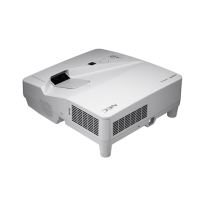
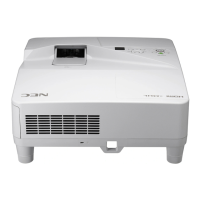
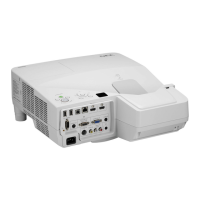
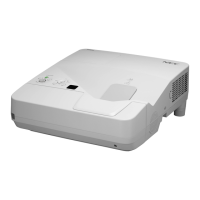
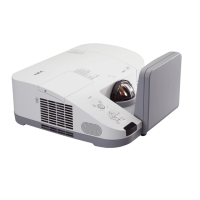
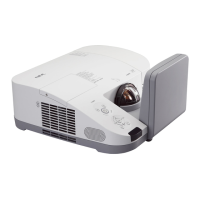
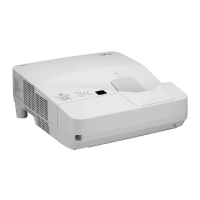
NEC UM351WGi-B - User Manual

NEC UM351WGi-B
125 pages
Print Icon
To Next Page IconTo Next Page
Loading...
©NEC Display Solutions, Ltd. 2014-2020 BDT140013
Revision 7.1
Projector
Control Command
Reference Manual

Table of Contents

Questions and Answers

  • J
    joannamackAug 12, 2025
    How to fix NEC UM351WGi-B Projector that does not turn on or shut down?
    • C
      cjenningsAug 12, 2025
      If your NEC Projector doesn't turn on or shut down, first, ensure the power cord is securely plugged in and the power button on either the projector or remote is activated. Overheating can also cause this issue; ensure sufficient ventilation or move the projector to a cooler area. The light module might also be the problem; wait a minute before attempting to power it on again. As a last resort, unplug the projector, wait 5 minutes, and then plug it back in.
  • J
    Joshua TaylorAug 16, 2025
    What to do if my NEC Projector has no picture?
    • M
      Meredith LopezAug 16, 2025
      If your NEC Projector displays no picture, verify that the correct input source is selected and all cables are properly connected. Adjust the brightness and contrast settings via the menu. Also, check that the SHUTTER (lens shutter) or AV-MUTE button are not active. You might also want to reset the settings to factory defaults using the [RESET ALL] option in the menu. Reinstalling or updating your video card driver may also resolve the issue. When connecting a notebook PC, ensure the projector is in standby mode first. Finally, the computer’s screen-saver or power management software may be causing the blank screen.
  • J
    James LoveAug 20, 2025
    Why is my NEC UM351WGi-B remote control not working?
    • E
      Ellen JacksonAug 20, 2025
      If the remote control for your NEC Projector isn't working, first replace the batteries with new ones. Ensure that there are no obstructions between you and the projector. Also, make sure you are within 22 feet (7 m) of the projector.
  • K
    Kimberly GarciaAug 25, 2025
    How to make the image square on NEC UM351WGi-B Projector screen?
    • M
      Melanie OlsonAug 25, 2025
      If the image from your NEC Projector isn’t square to the screen, reposition the projector to improve its angle. You can also use the Keystone correction function to correct trapezoid distortion.
  • T
    Tina MeadowsAug 27, 2025
    How to adjust color tone on NEC UM351WGi-B Projector?
    • S
      Stephen ParkerAug 27, 2025
      If the color tone or hue of your NEC Projector is unusual, adjust the [HUE] setting in [PICTURE].
  • R
    Richard MurilloAug 31, 2025
    Why does the picture on my NEC UM351WGi-B Projector suddenly become dark?
    • J
      jorge65Aug 31, 2025
      If the picture from your NEC Projector suddenly becomes dark, check if the projector is in “Forced ECO MODE” due to a high ambient temperature.
  • C
    Cynthia MaloneSep 3, 2025
    How to fix a blurred picture on my NEC UM351WGi-B?
    • E
      Elizabeth MartinSep 4, 2025
      If the picture from your NEC Projector is blurred, try adjusting the focus. Repositioning the projector to improve its angle to the screen may also help. Make sure the distance between the projector and the screen is within the lens's adjustment range. Consider whether the lens has been shifted beyond its guaranteed range. If the projector was cold and brought into a warm environment, condensation might have formed on the lens; allow it to stand until the condensation clears.
  • W
    William MartinezSep 7, 2025
    How to stop NEC Projector from turning off?
    • W
      William JohnsonSep 7, 2025
      To prevent your NEC Projector from turning off unexpectedly, make sure that the [AUTO POWER OFF] setting is disabled.

NEC UM351WGi-B Specifications

General IconGeneral
Brightness3500 ANSI Lumens
Resolution1280 x 800 (WXGA)
Display TechnologyDLP
Contrast Ratio10000:1
Lamp Life4000 hours (Normal), 6000 hours (Eco)
ConnectivityHDMI, VGA, USB
Screen Size30" - 300"
Output TerminalsVGA, Audio
NetworkingRJ45
Speaker10 W
Operating Temperature5 - 40 °C
Noise Level37 dB (Normal)

Related product manuals