- 49 -
FAULT FINDING CHART
Suspected
problem
Probable cause Possible easy correction
Threads kink
together under the
fabric.
- Upper thread improper threading.
- Upper tension dial at O position.
- Re-thread. See page 16
- Increase upper thread tension. See page 20
Irregular stitches
- Incorrect size needle.
- Improper threading.
- Loosen top thread tension
- Pulling fabric.
- Loose presser foot.
- Unevenly wound bobbin
- Nicks or burrs at needle plate.
- Needle plate broken
- Choose correct size needle.
- Re-thread. See page 16
- Tighten top tension. See page 20
- Gently pull the fabric.
- Re-set presser foot.
- Re-wind bobbin. See page 12、13
- Cleaning bobbin case and base. See page 47
- Change needle plate.
Breaking needle
- Wrong needles size for the fabric.
- The needle has not installed. The needle is curving.
- Pulling fabric.
- The needle clamp screw is loose.
- Rotate the pattern dial when needle insert the fabric.
- Loose presser foot.
- Choose a needle to suit the thread and fabric.
- Re-set needle. See page 10
- Gently pull the fabric.
- Truly locks the needle clamp screw.
- When choice pattern, the needle must above the fabric.
- Re-set presser foot.
Bunching of thread
- Upper and lower threads not drawn back under
presser foot before starting seam.
- Pull both threads under and back of presser foot, then
rotates the handwheel with right hand.
Puckering
- Incorrect thread tension.
- Upper thread improper threading.
- Using two different sizes or type thread.
- Bent or blunt needle.
- Loosen presser foot
- Fabric too sheer or too soft.
- Re-set thread tension. See page 20
- Re-thread. See page 16
- Use same size and type threads.
- Insert new needle.
- Re-set presser foot.
- Use underlay or tissue paper.
Skipping stitches
- Incorrect size needle.
- Bent or blunt needle.
- Incorrect setting of needle.
- Improper threading.
- Choose correct size needle for thread and fabric. See
page 22
- Insert new needle.
- Re-set needle. See page 10
- Re-thread. See page 16
Breaking upper
thread
- Starting to stitch too fast.
- Improper threading.
- Top thread tension too high.
- Incorrect setting of needle.
- Wrong needles and thread for the fabric.
- Set thread pool and the position indentation at left
side.
- Incorrect setting of bobbin case.
- Needle eye is sharp.
- Burrs on bobbin.
- Burrs on needle hole.
- Start to stitch at a medium speed.
- Re-thread. See page 16
- Adjust top thread tension. See page 20
- Re-set needle. See page 10
- Choose correct needle and thread to suit the fabric. See
page 22
- Adjust position of the indentation to right side.
See page 12、13
- Re-set bobbin case. See page 47
- Replace new needle.
- Sand or change bobbin case.
- Sand or change needle plate.
Breaking bobbin
thread
- Down thread improper threading.
- Down thread tension too high.
- Lint in bobbin or shuttle.
- Re-thread. See page 14、15
- Adjust down thread tension. See page 20
- Clean bobbin case and shuttle. See page 47
Fabric not moving
- Stitch length in “O” position.
- Scraps seize-up with feed-dog
- Sewing thread integral convexity
- Didn’t use the special-purpose bobbin.
- Adjust stitch length.
- Clean feed dog. See page 47
- Pull back upper and down threads under of presser foot.
- Replace special-purpose bobbin.
Machine jamming
knocking noise
- Thread caught in shuttle. - Remove and clean shuttle. See page 47
Sewing machine
doesn’t operate
- The machine is not plugged in.
- Machine is not turned on.
- See page 9
- See page 9
Down thread is
pulled above the
cloth.
- Top thread tension too high.
- Upper thread improper threading.
- Down thread improper threading.
- Adjust top thread tension. See page 20
- Re-thread. See page 16
- Re-thread. See page 14、15
When it is a vacant
screen
- LCD gets shut down - Turn off power
- Re-turn on power, re-setting all conditions as previous
ones
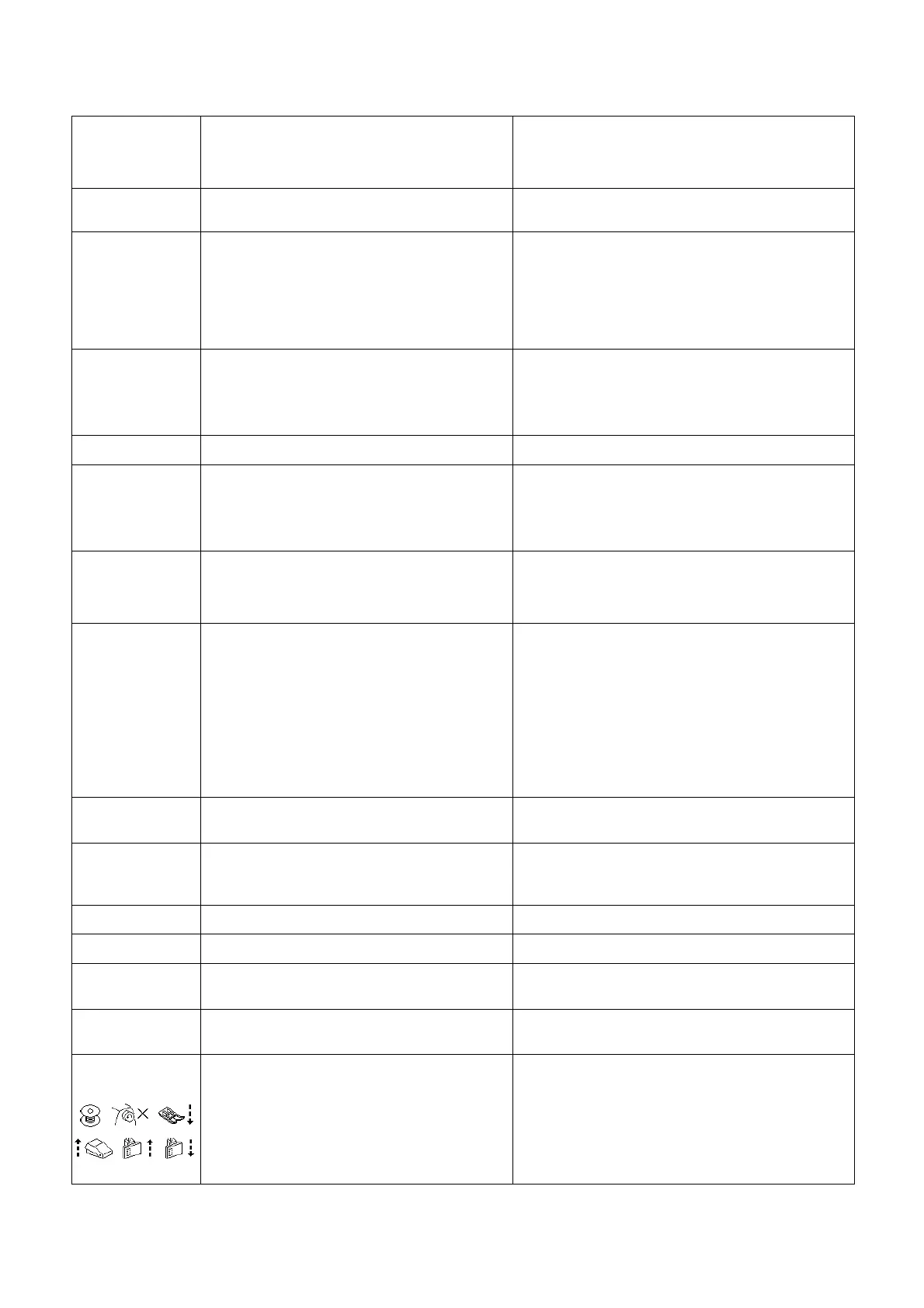
When screen shows
as below
- To mention how to operate all conditions
- See page 32


 To Next Page