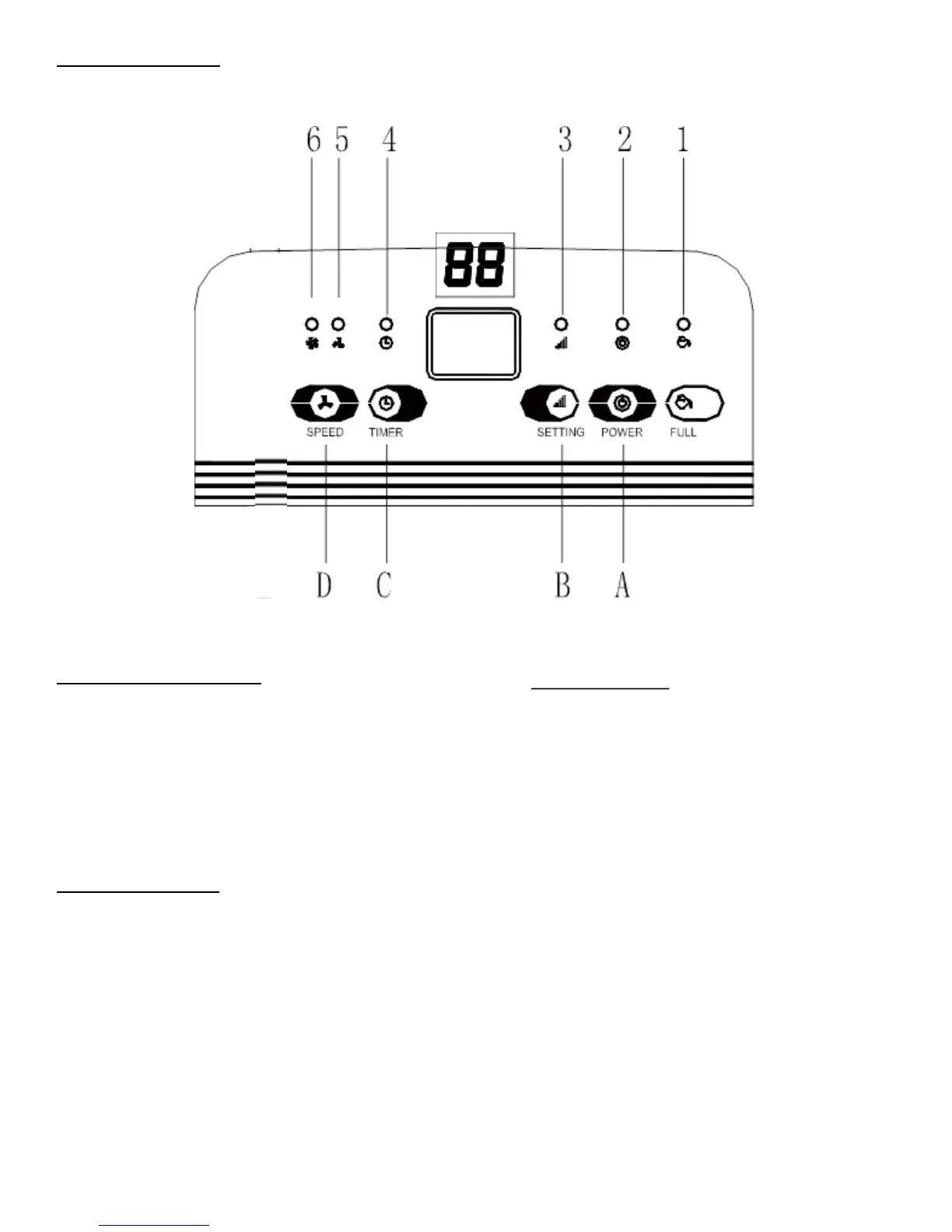
CONTROL PANEL
LED INDICATOR LIGHTS
1.WATER FULL
2.POWER
3.SETTING
4.TIMER
5.LOW FAN SPEED
6.HIGH FAN SPEED
DIGITAL DISPLAY
The indicator features 4 functions:
Indicates the room humidity level – in normal operating mode
Indicates the humidity that you have selected - when setting the humidity
Indicates the hours - when programming the time for the unit to turn on and off
Displays power setting - when the environment humidity is lower than 35%, it will show “LO”,
when the environment humidity is higher than 95%, it will show “HI”.
PUSH BUTTONS
A. Power Button
B. Adjustable Humidity Button
C. Timer Button
D. Fan Speed Button



 To Next Page