10
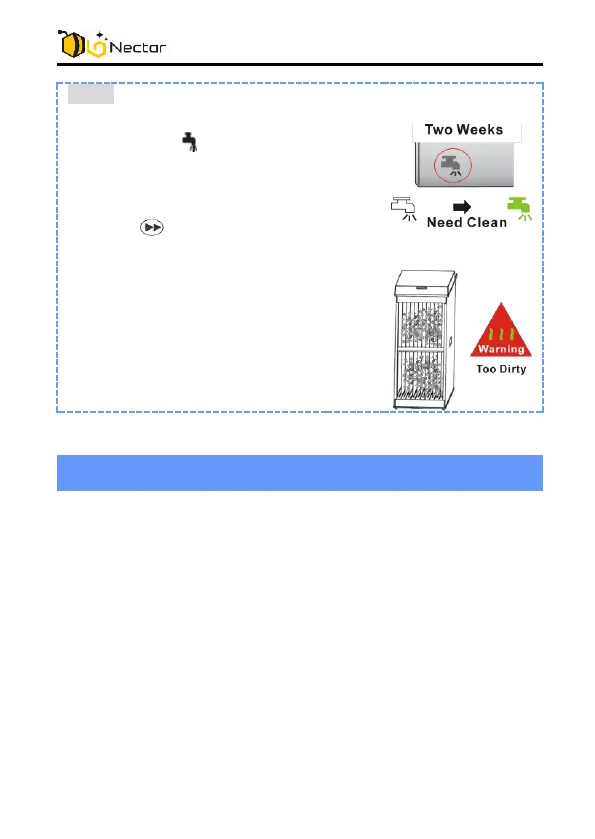
Note:
Continue using the unit for two
weeks, the lights up to alert you
having to clean the collection array.
After cleaning, re-install the
collection array back to the unit,
press button for 3 seconds to
confirm cleaning is finished
If the collection array is too dirty, the
unit shut down automatically and
flash all indicators for a warning.
Not operating, no light indication
- Ensure the collection array is connected with the fan
body firmly.
- Ensure the AC adaptor is fully inserted into the AC outlet
and its plug is connected to the DC jack of the air
purifier.
- Press the Power button momentarily to observe that it
lights up.
Not operating, indicator flashing
- Check the collection array for too heavy dirt or any
clotting by hairs or fibers.
- Clean the collection array as needed and install back in
the air purifier.



 To Next Page