11
Input: 100-240V, 50/60Hz
Output: DC 15V, 1.5A
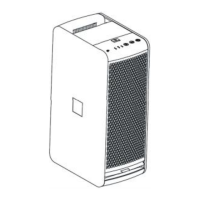
9.4” (W) x 5.9” (D) x 15.7” (H)
* The above specifications are only for reference. With more advanced development and
innovation, the specifications will be changed.
The HexaDuo Smart mobile APP will let you control your
HexaDuo Smart anywhere. You can connect your Nectar
Smart through the WiFi router network with mobile devices.
To use this feature, you have to first download and install the
Nectar Smart APP to your smart phone. You can download it
from Apple App Store or Google Play Store.
1. Download and Install the Nectar Smart APP.
1. Download from our website:
www.nectarsmartliving.com/support/download
2. Apple App Store and Google Play Store



 To Next Page