Vaping Oils (Eliquids/CBD*/THC*)
03
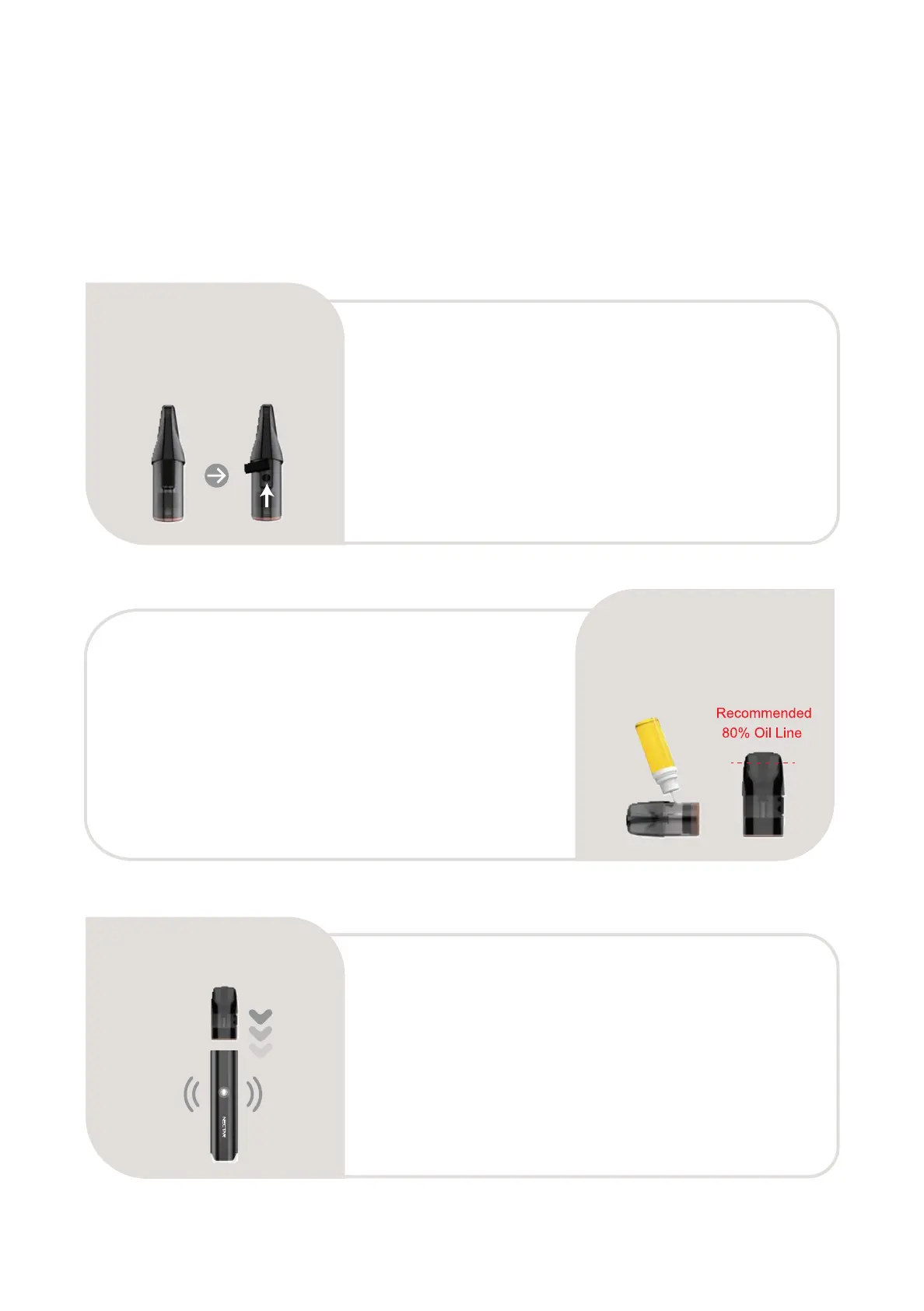
Attach the pod onto the Hive
Insert the pod back into the device. The device
will then vibrate and the LED indicators will flash
white to signal the pod has successfully con-
nected to the device.
Filling the pods
Fill the pod via the refilling hole with your chosen
liquid, then secure the pod by plugging the low-
er-end silicone plug back into the hole. Avoid
overfilling the pod as this may promote leakage.
We recommend filling the pod to 80% capacity.
01
Unplugging the refilling hole
Unplug the refilling hole by holding the pod in an
upright position and using a finger to pull out the
lower-end silicone plug on the side of the pod.
The refilling hole is marked with an arrow on it.
6 7
02
*Please check your local jurisdictions for legality.


 To Next Page