Need help?
Do you have a question about the Nectar Honeybee and is the answer not in the manual?
Instructions on how to charge the Nectar Honeybee, including battery level indicators.
Details on voltage settings and their corresponding LED light indications.
How to open the Nectar Honeybee cartridge by unscrewing the mouthpiece.
Instructions for filling the cartridge with thick oil, avoiding spillage.
How to install the cartridge using the magnetic connector and its LED confirmation.
How to turn the Nectar Honeybee device on or off using the power button.
Guidance on using and replacing cartridges, and recommended usage frequency.
Instructions for activating the pre-heating function to warm the oil for easier vaping.
Steps to register your Nectar Honeybee device and activate the 2-year warranty.
Recommendations for charging the device when not in use for extended periods.
Advice on handling cartridges during flights to prevent leakage due to pressure changes.
Explanation of condensation and how to resolve it by turning the cartridge upside down.
Information on legal restrictions and minimum age requirements for using the device.
Key disclaimers regarding device usage, health, safety, and legal compliance.
How to contact Nectar customer support via WhatsApp, Email, and Telephone.
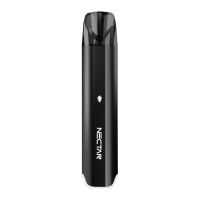
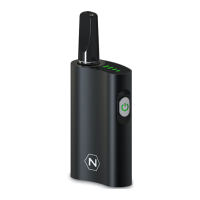
The Nectar HoneyBee is a premium e-liquid and CBD vaporizer designed to allow users to utilize the benefits of cannabinoids while eliminating the intake of toxins and carcinogens. It is a compact and portable device, featuring a sleek design and user-friendly interface.
The Nectar HoneyBee is primarily used for vaping thick oils, including CBD and THC oils, as well as e-liquids when used with a cotton coil cartridge. It operates by heating the oil in a cartridge to produce vapor for inhalation. The device is equipped with a pre-heating chamber, variable power settings, and a long-lasting battery to ensure an optimal vaping experience.
The device utilizes a 510 magnetic fitting for its cartridges, making installation and removal straightforward. To open a cartridge, hold the glass body to prevent rotation and unscrew the mouthpiece anti-clockwise. Once open, the cartridge can be filled with your preferred oil. For filling, it is recommended to use a tip no more than 2mm in width to avoid spillage and to pour the liquid between the central post and the glass, ensuring the central post is not filled. After filling, screw the magnetic connection onto the cartridge and drop it into the device. A successful connection is indicated by all four LEDs lighting up for one second. For thinner oils like e-liquid, a cartridge with a cotton coil is recommended.
To turn the device on or off, press the power button five times rapidly. The LED light will flash five times to confirm the action. For best results during vaping, draw gently on the mouthpiece using smooth, slow, and long tokes. Always use the device in an upright or mostly-upright position.
The Nectar HoneyBee offers four voltage settings, allowing users to customize their vaping experience. These settings are 2.8V, 3.2V, 3.6V, and 4.0V. To change the voltage, press the power button three times rapidly. The lights on the top side of the device will indicate the current setting.
For use in cold temperatures or with thick oils, the device includes a pre-heating function. After turning on the device, press the power button two times rapidly to activate an automated 30-second preheat cycle. During preheat mode, the green LED lights will flash for 30 seconds. This function helps to make the oil easier to vape. The preheat can be stopped by pressing the button once.
The device provides clear indications of its battery level through its LED lights:
It is recommended to charge the device for one hour before its first use. When plugging the charger into the HoneyBee, the lights will blink to indicate the battery level. The charging time is approximately two hours. To protect and extend battery life, avoid overcharging the device.
After using the device, allow it to cool down before storage. Store it in a dry and cool place to protect it from weather effects and prevent damage to the battery. Keep the device out of reach of children.
If the device is not planned for long-term use, it is recommended to recharge the battery at least once every three months to prevent degradation of battery performance. It is important not to use the product while it is charging, as this may decrease the battery life.
For best results and optimal performance, it is recommended to replace cartridges with new ones after approximately five uses.
Condensation can occur due to the surrounding environment or by breathing into the device. This is not a cause for alarm and can be easily remedied. Simply turn the cartridge upside down and shake it lightly to remove the condensation.
When flying or traveling, cartridges should be emptied or stored in a sealed package and kept away from other valuables. The low pressure inside aircrafts can cause leakages.
Nectar offers a two-year warranty for the HoneyBee device. Users can register their device and activate the warranty by scanning a QR code or visiting the provided website.
Nectar provides comprehensive customer support through various channels, including WhatsApp, email, and telephone, with specified average response times for each. Additionally, YouTube support is available with QR codes to access relevant videos and subscribe to their channel.
 General
| Brand | Nectar |
|---|---|
| Model | Honeybee |
| E-liquid Capacity | 2ml |
| Puff Count | 600 |
| Nicotine Strength | 20mg |
| Device Type | Disposable |

 To Next Page