8
Switching the product on/o
Press and hold the power / mode button A
1
for 3 seconds to switch the
product on or o.
4
The status indicator LED A
7
lights up blue when the product is switched on.
Settings menu navigation
• Press and hold the OK button A
2
to enter the settings menu.
In the settings menu:
• Press the up button A
9
and the down button A
q
to navigate between the
options.
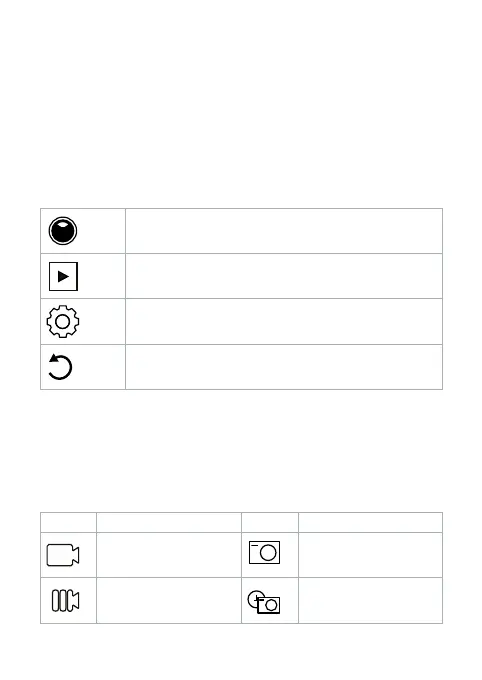
Mode setting
Playback
System setting
Back
• Press the OK button A
2
to select and conrm the desired option.
4
For a description of the settings menu, consult the extended manual online.
Switching between modes
Press the power / mode button A
1
to switch between the modes of the
product.
The icon in the upper left corner of the display shows the current mode.
Icon Mode Icon Mode
Video Photo
Slow motion Auto



 To Next Page