English
4
1. Download, install and launch the app “Nedis
SmartLife” from the Apple App Store or Google Play
Store on your mobile device.
2. Create a new account or log in to your existing
account.
3. Tap “+” to add the device.
4. Select the correct product from the list.
5. Place the batteries (2x AA, alkaline) into the battery
compartment.
6. Press the test button 3 times in 2 seconds.
7. When the LED is turned on, conrm in the app.
8. Conrm the Wi-Fi network and password.
9. Enter the device name.
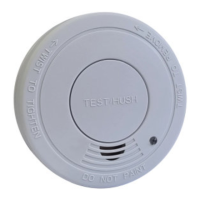
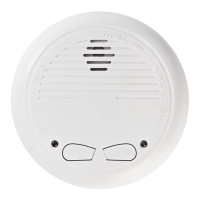
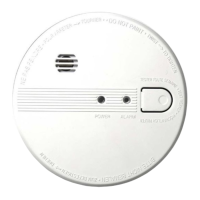
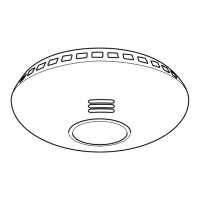
10. Mount the device to the mounting plate. Refer to the
illustrations for the correct positioning of the device.
11. Test the alarm. Refer to the section “Testing the
alarm”.
Recommended installation locations *)
Area Yes No
Living room X
Dining room X
Kitchen X
Bathroom / Toilet X
Bedroom X
Hallway X
Attic X
Basement X
Garage X
Boiler room X
*) The installation requirements may dier per region.
Contact your local authorities for possible additional
requirements.
Use
LED indicator
Do not disconnect battery to quiet an unwanted alarm.
This will remove your protection. Fan the air or open a
window to remove smoke or dust
Normal
operation
The LED indicator will
ash red once every
40 seconds.
---
Smoke/heat
detection
The alarm will
sound and the LED
indicator will ash red
continuously until the
smoke or the heat is
eliminated.
Eliminate the smoke
or the heat.
Low-battery
warning
The alarm will beep
shortly every 40
seconds and the LED
indicator will ash.
Take one of these
actions:
• Replace the battery.
• Press the test button
to pause the alarm
for 8 hours.
Defect
The alarm will beep
shortly every 40
seconds.
Replace the device.
Smoke alarm
does not
sound when
tested
Remove the smoke
alarm from the bracket
and check whether
the battery is properly
connected to the
battery connector.
If the battery is
properly connected
and the smoke alarm
does not sound when
tested, replace the
device.
The alarms
sounds
dierent
The alarm is operating
correctly.
Please clean the
smoke alarm
according to the
Cleaning and
Maintenance section.
Testing the alarm
The alarm must be tested weekly to ensure correct
operation. If the alarm test fails, replace the smoke
detector.
• Press and hold the test button for 5 seconds. The
alarm will sound.
• Release the test button.


 To Next Page