Connecting to the app
1. Tap + in the top right corner in the Nedis SmartLife app.
2. Select the product type you want to add from the list.
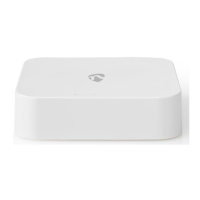
3. Plug the micro USB cable A5 into the micro USB port A4.
4. Plug the other end of A5 into a USB power source.
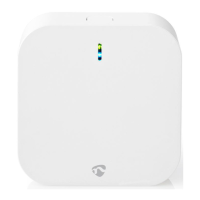
The Wi-Fi status LED A1 blinks red to indicate pairing mode is active.
5. Tap Next step in the app.
6. Enter the Wi-Fi network data and tap Confirm.
7. Type in a name for the product and tap Done. The product is now ready for use.
For more information on how to connect and use the different sensors with the product, consult the manual of the
sensor.
Do not attempt to repair the product. If the product does not operate correctly, replace it with a new product.
Declaration of Conformity
We, Nedis B.V. declare as manufacturer that the product WIFIZB10WT from our brand Nedis®, produced in China,
has been tested according to all relevant CE standards and regulations and that all tests have been passed
successfully. This includes, but is not limited to the RED 2014/53/EU regulation.
The complete Declaration of Conformity (and the safety datasheet if applicable) can be found and downloaded via:
nedis.com/wifizb10wt#support
For additional information regarding the compliance, contact the customer service:
Web: www.nedis.com
E-mail: service@nedis.com
Nedis B.V., de Tweeling 28
5215 MC ’s-Hertogenbosch, the Netherlands
File Downloads
User Guide
Zigbee Gateway, WIFIZB10WT
Download [optimized]
Download
References
nedis.nl
nedis.com
nedis.com/wifizb10wt#support
nedis.nl/wifizb10wt#support
nedis.pt/wifizb10wt#support
nedis.ro/wifizb10wt#support
nedis.gr/wifizb10wt#support
nedis.es/wifizb10wt#support
nedis.sk/wifizb10wt#support



 To Next Page