en Troubleshooting
30
5.
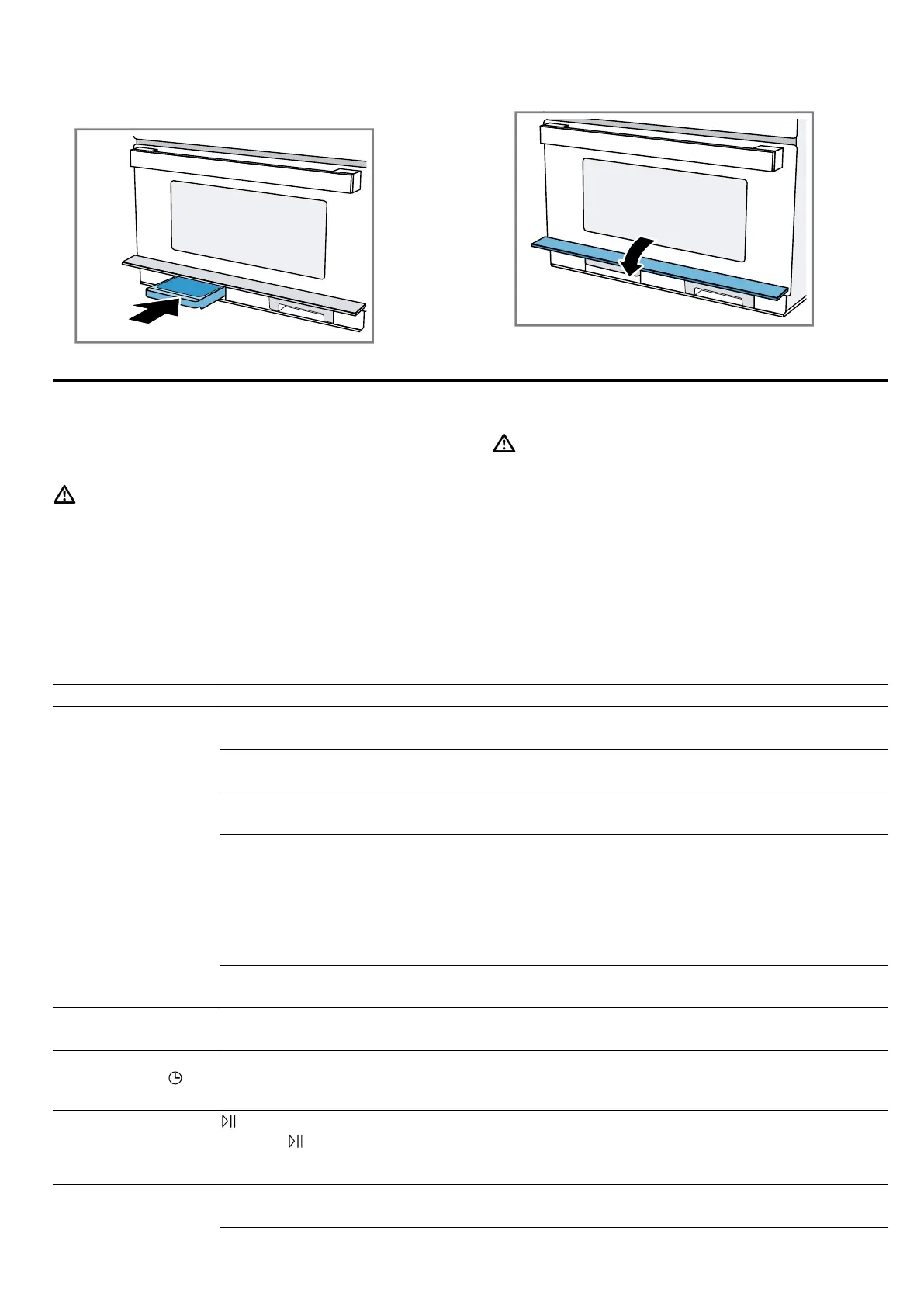
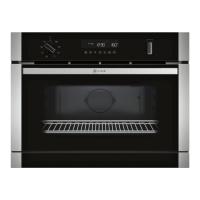
Insert the drip tray into the tank shaft and slide it in
fully.
6.
Close the tank cover.
a The appliance is ready to use.
16 Troubleshooting
You can rectify minor faults on your appliance yourself.
Read the troubleshooting information before contacting
after-sales service. This will avoid unnecessary costs.
WARNING‒Risk of injury!
Improper repairs are dangerous.
▶ Repairs to the appliance should only be carried out
by trained specialist staff.
▶ If the appliance is defective, call Customer Service.
WARNING‒Risk of electric shock!
Incorrect repairs are dangerous.
▶ Repairs to the appliance should only be carried out
by trained specialist staff.
▶ Only use genuine spare parts when repairing the
appliance.
▶ If the power cord of this appliance is damaged, it
must be replaced by the manufacturer, the manufac-
turer's Customer Service or a similarly qualified per-
son in order to prevent any risk.
16.1 Malfunctions
Fault Cause and troubleshooting
The appliance is not
working.
The mains plug of the power cord is not plugged in.
▶
Connect the appliance to the power supply.
The circuit breaker in the fuse box has tripped.
▶
Check the circuit breaker in the fuse box.
There has been a power cut.
▶
Check whether the lighting in your kitchen or other appliances are working.
Malfunction
1.
Switch off the fuse in the fuse box.
2.
Switch the fuse back on after approx. 10seconds.
a If the fault was a one-off, the message disappears.
3.
If the message appears again, call the after-sales service. Please specify the exact error
message when calling.
→"Customer Service", Page32
Door is not fully closed.
▶
Check whether food remains or foreign material are trapped in the door.
The interior lighting is
not working.
The LED lamp is defective.
▶
If this fault recurs, call the after-sales service.
12:00 flashes in the
display and the
symbol lights up.
There has been a power cut.
▶
Reset the time.
→"Setting the time", Page25
The appliance is not
in operation. A cook-
ing time is shown in
the display.
has not been pressed.
▶
Press .
Microwave not work-
ing.
Door is not fully closed.
▶
Check whether food remains or foreign material are trapped in the door.


 To Next Page