en
6
Getting to know your
appliance
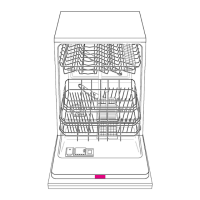
Diagrams of the control panel and the
interior of the appliance can be found
in the envelope at the front.
Individual positions are referred to in
the text.
Control panel
1
Main switch
2
Door handle
3
Button for UPPER RACK washing
function *
4
PROGRAMME END indicator
5
LOW SALT indicator
6
LOW RINSE-AID indicator
7 “Check water supply” indicator
8
Programme buttons
* on applicable models
Appliance interior
Upper basket with additional cup
rack
Additional cutlery basket for the
top basket*
Lock for detergent dispenser
Rating plate
* some models
You will need to purchase the
following before using the
dishwasher for the first time:
– special salt for use in dishwashers
– detergent
– rinse-aid
Only use products, which are suitable for
dishwashers.


 To Next Page