first time en
25
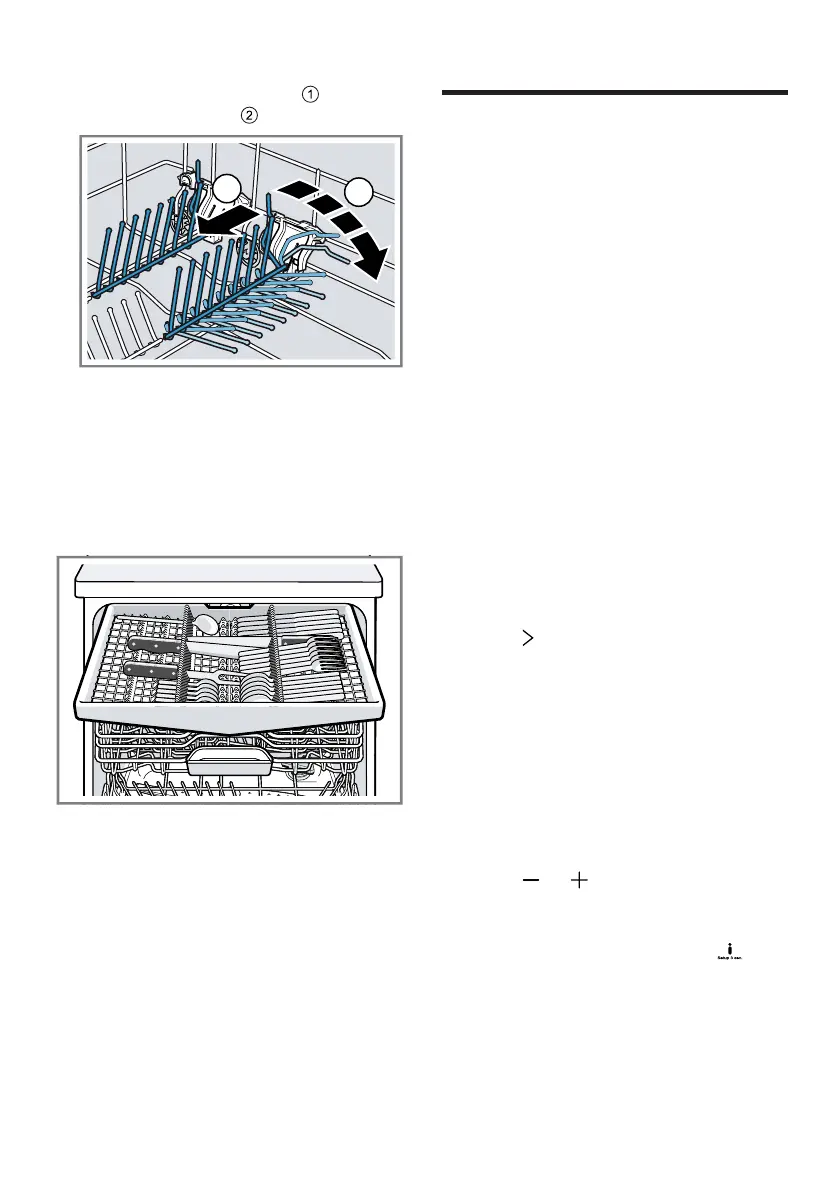
1. Push the lever forwards and fold
down the prongs .
2. To use the prongs again, fold them
back up.
a The prongs audibly click into posi-
tion.
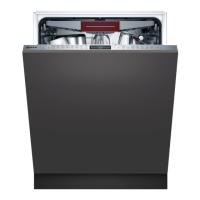
9.5 Cutlery drawer
Arrange cutlery in the cutlery drawer.
Arrange cutlery with the points and
sharp edges downwards.
first time
10 Before using for the
first time
first time
10.1 Performing initial start-
up
On initial start-up or after a reset to
the factory settings, you will need to
make settings. The display shows the
settings for initial start-up.
Tip:Connect your appliance to a mo-
bile device. You can conveniently
change all settings via the
HomeConnect app.
Requirement:The appliance has
been installed and connected.
→Page13
1.
Add special salt. →Page27
2.
Add rinse aid. →Page28
3. Switch on the appliance.
a The display shows the settings for
initial start-up.
4. Press repeatedly until the display
shows the required setting.
Note:If you select Initial start-up
HomeConnect here, make further
settings using the HomeConnect
app on your mobile device.
You can change the settings for
initial start-up and other Basic set-
tings →Page37 on the appliance
at any time or use the HomeCon-
nect app on your mobile device.
5. Press or repeatedly until the
display shows the right value.
You can change several settings.
6. To save the settings, press for
approx. 3seconds.
7.
Add detergent →Page29.
8. Start the Programme with the
highest cleaning temperature
without tableware.


 To Next Page