Doc. No. : WL10-0001
Revision No.: 1.0
Version: 10.0
20.09.2016
2
EN
Instruction
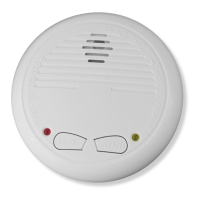
The photoelectric wireless online smoke alarm WL10 can be connected each other and
become a system. Its communication is very easy just through a LEARN button. In a
learnable wireless online smoke alarm system, if one smoke alarm detects the smoke
and sounds, others will sound together. In this case, the users will know the re danger in
advance and take action.
The product is used in the family house and the non-smoking places.
Testing
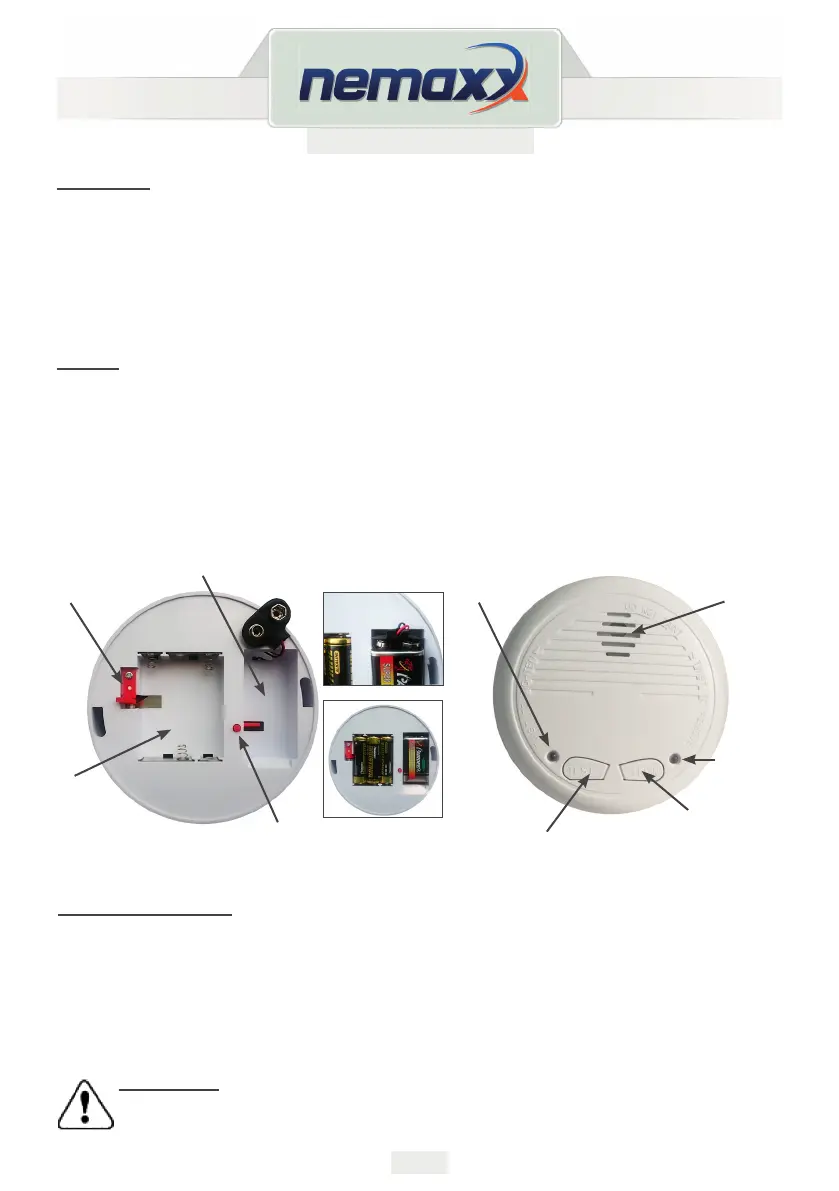
1. Insert 1pc 9V battery and 3pcs 1.5V battery (according to the picture).
2. The RED alarming LED ashes in about every 40s in working condition
(according to the picture).
3. Depress the TEST button for several seconds, the red alarming LED and the LEARN
(red and green) LED ashes, then the smoke alarm sounds.
It shows that the smoke alarm is in working
Battery replacement
1. Turn the alarm body counter clockwise and take o the cover.
2. Take out the batteries. Place the new batteries to the power connector.
3. Put the top cover back on and turn clockwise to close cover tight.
4. Always test the smoke alarm by using the test button after you replace or have taken out
the batteries.
CAUTION!!!
Danger of explosion if the lithium battery is incorrectly replaced.
Please only replace with the same type of battery.
Horn
Alarming
LED (red)
Learn LED
(red or green)
Test button
Learn button
9V lithium
battery
9V lithium battery
installation hint
1,5V battery
installation hint
3x 1,5V
battery


 To Next Page