10
In case of exchanging the VGA card to the NEMESIS GEFORCE2 MX 200/MX 400 in
Windows 98 SE
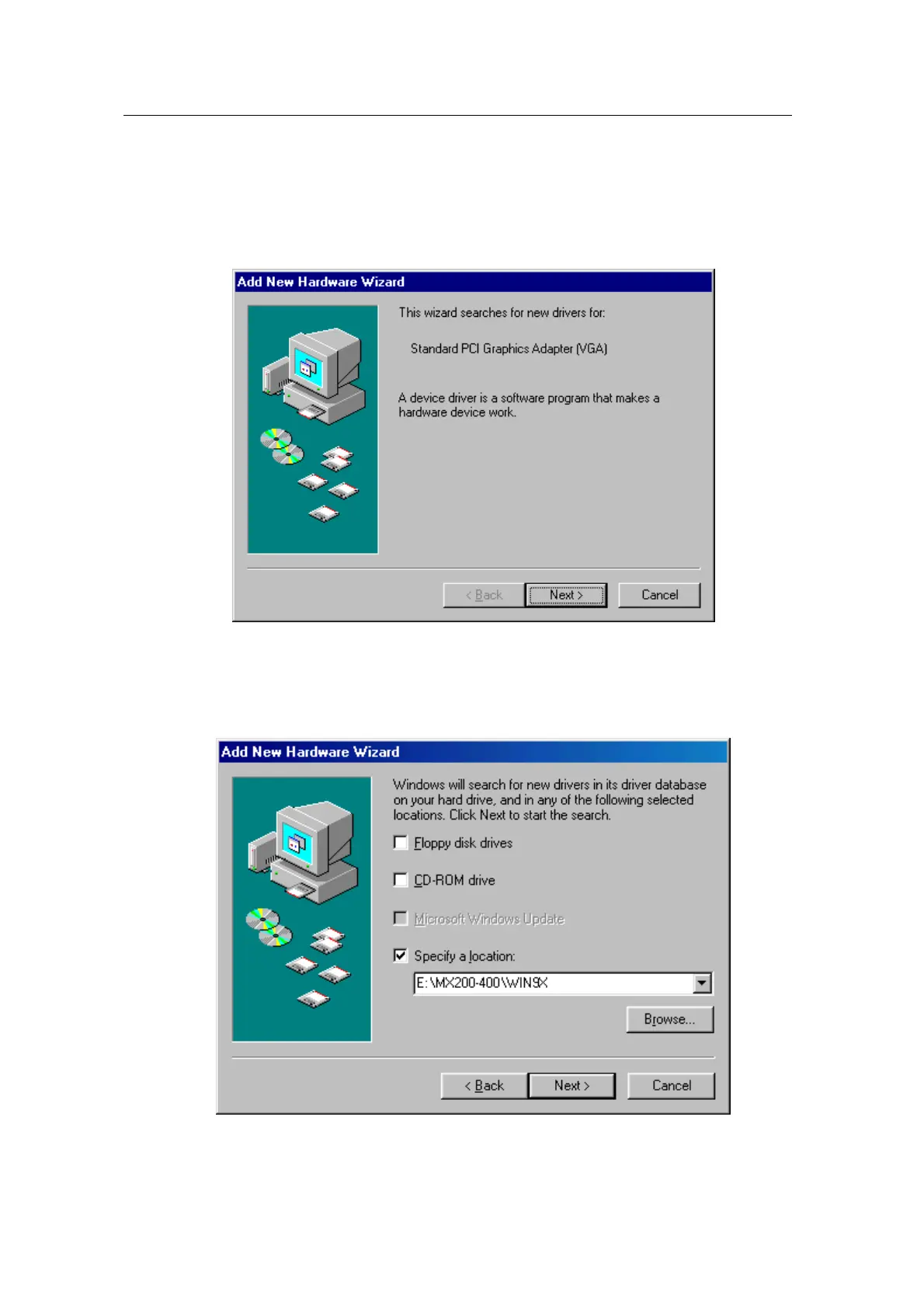
1. When Windows 98 SE begins, the “Add new hardware wizard” dialog box will appear
then click “Next”.
2. Select “Search for the best driver for your device. [Recommended]” and click “Next”.
3. Select “Specify a location” and “WIN9X” folder on “MX200-400” folder of CD-ROM drive
by using “Browse…” button then click “Next”.
4. If it recognizes “NVIDIA GeForce2 MX / MX400”, click “Next” again. (“NVIDIA GeForce2
MX200” is displayed if you use MX 200,)



 To Next Page