9
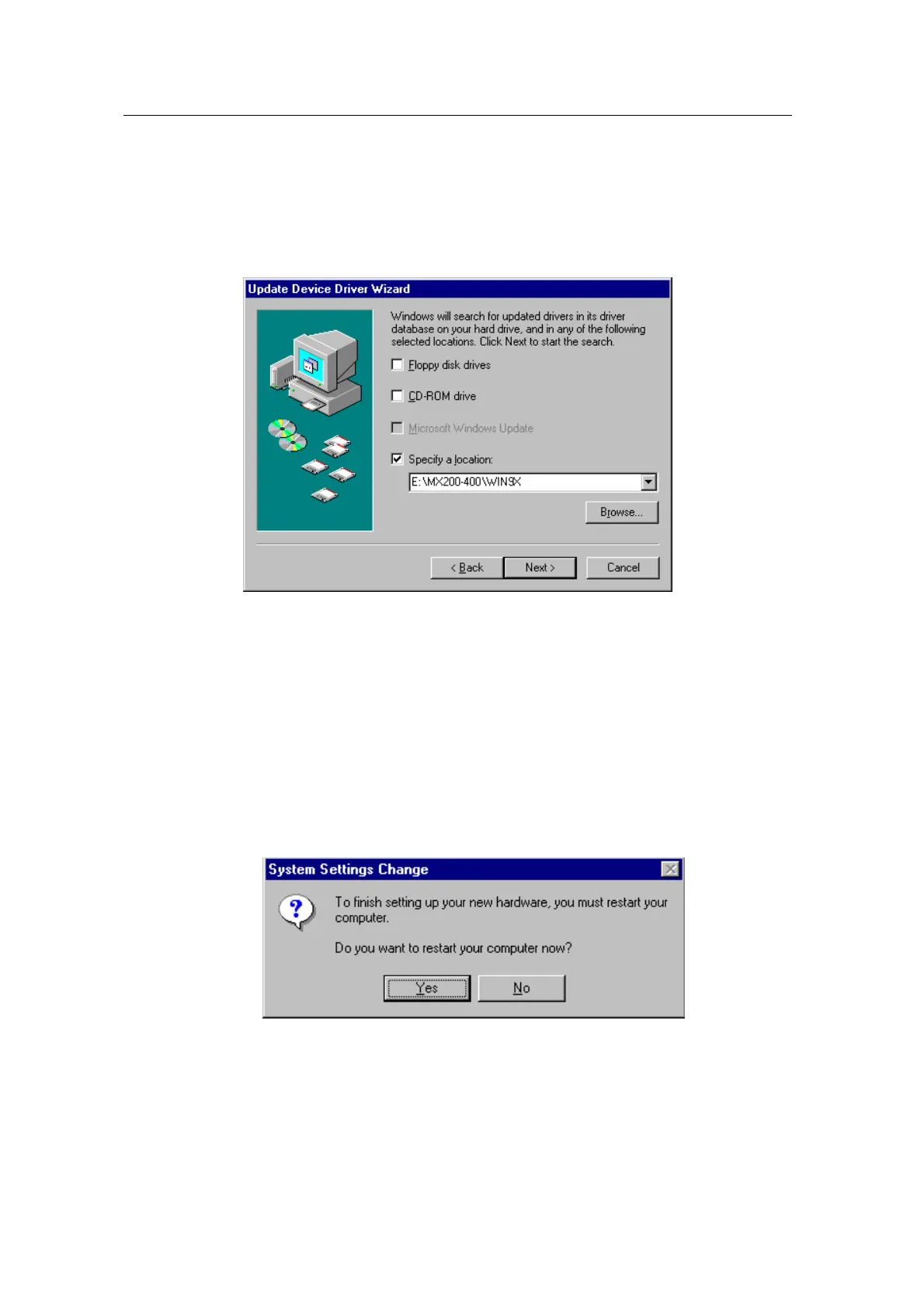
7. Select “Specify a location”. ( Do not select other items.)
8. Select “WIN9X” folder on “MX200-400” folder of CD-ROM drive by using “Browse…” button
then click “Next”.
9. If it recognizes “NVIDIA GEFORCE2 MX / MX400”, click “ Next” again. (“NVIDIA GeForce2
MX200” is displayed if you use MX 200,)
10. The appropriate drivers will be copied and the system will be configured automatically.
11. Click “Finish”.
12. If a dialog box appears asking if you want to restart your system, select “Yes”.



 To Next Page