14
In case of exchanging the VGA card to the NEMESIS GEFORCE2 MX200/MX400
When you remove the existing VGA card from your system and newly install the NEMESIS
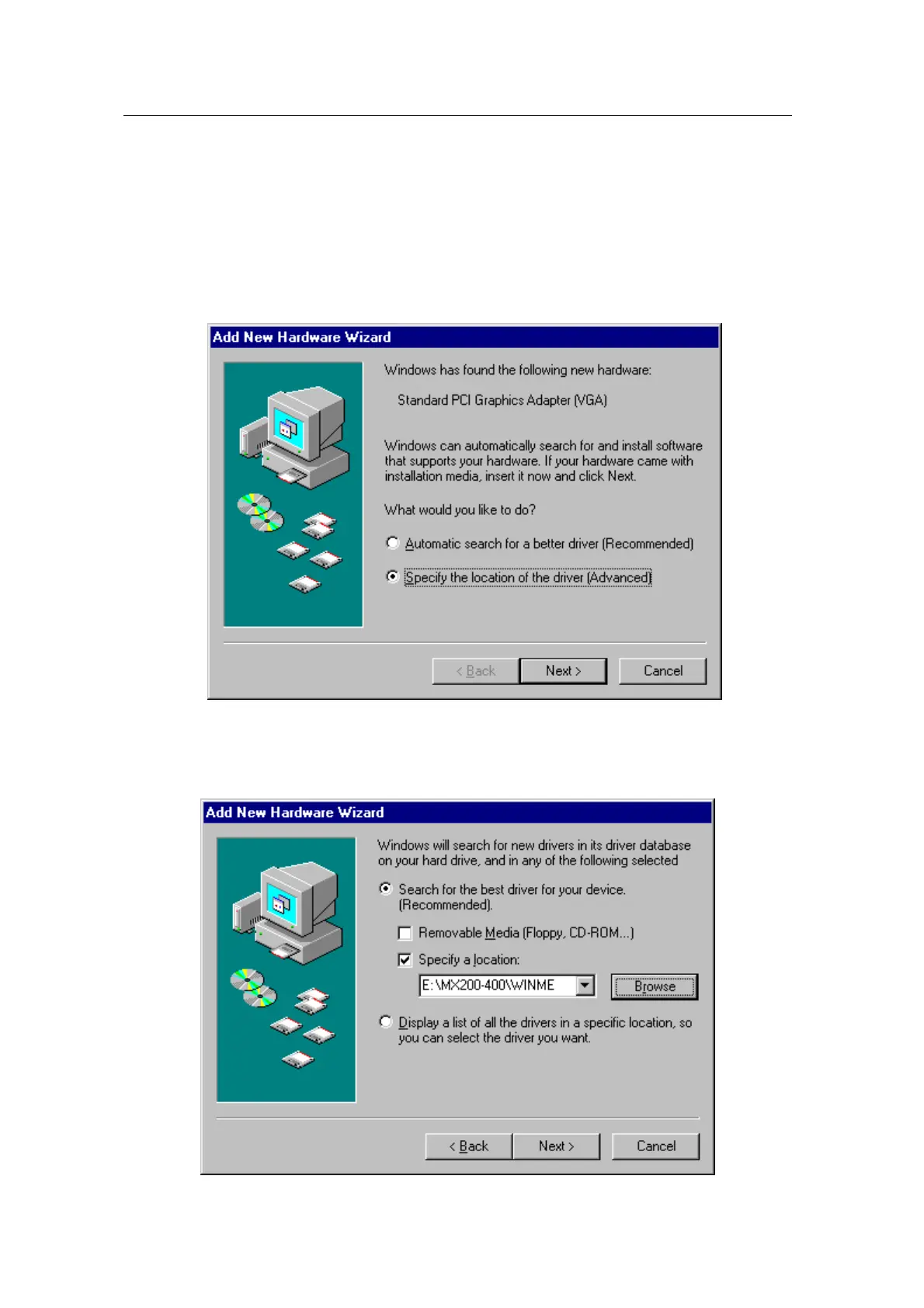
GEFORCE2 MX200/MX400 then “New hardware found” dialog box appears and “add new
hardware wizard” is started automatically.
1. Select “Specify the location of the driver[Advanced]”and click “Next”.
2.
Insert the installation CD into your CD-ROM Drive.
3. Select “Search for a better driver than the one your device is using now (Recommended)
and “Specify a location” and “Browse…”. Do not select “Removable Media”.
4. Select “WINME” folder on “MX200-400” folder of CD-ROM drive by using “Browse” button



 To Next Page