Drone Charging
Take Off Guide
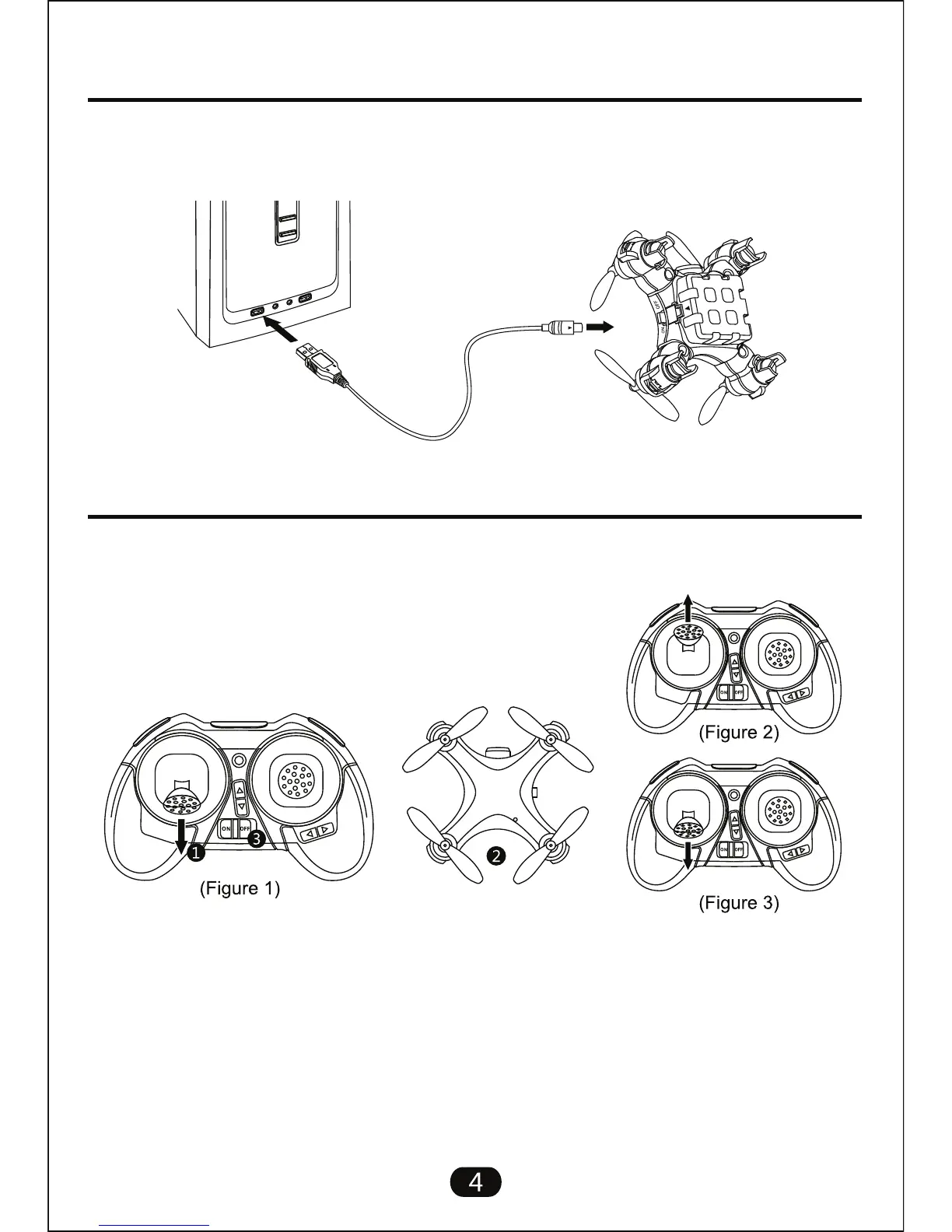
Connect the drone to the USB charging cable as shown, insert USB into computer
or any USB charging port. The USB charger will light up to indicate charging.
When the light turns off charging is complete, disconnect drone promptly.
Follow the steps below to pair your transmitter to drone and start flying:
1. Ensure the transmitter is off and move the throttle
stick to its lowest point. (Figure 1)
2. Switch the drone on and place on a level surface suitable to take flight from, the
drones lights will be blinking.
3. Turn on transmitter and move the throttle stick all the way up (Figure 2) the
transmitter will beep. Move all the way back down (Figure 3) and the transmitter will
beep again to indicate pairing. The Drone will stop flashing at the same time.
You are now ready to fly.



 To Next Page