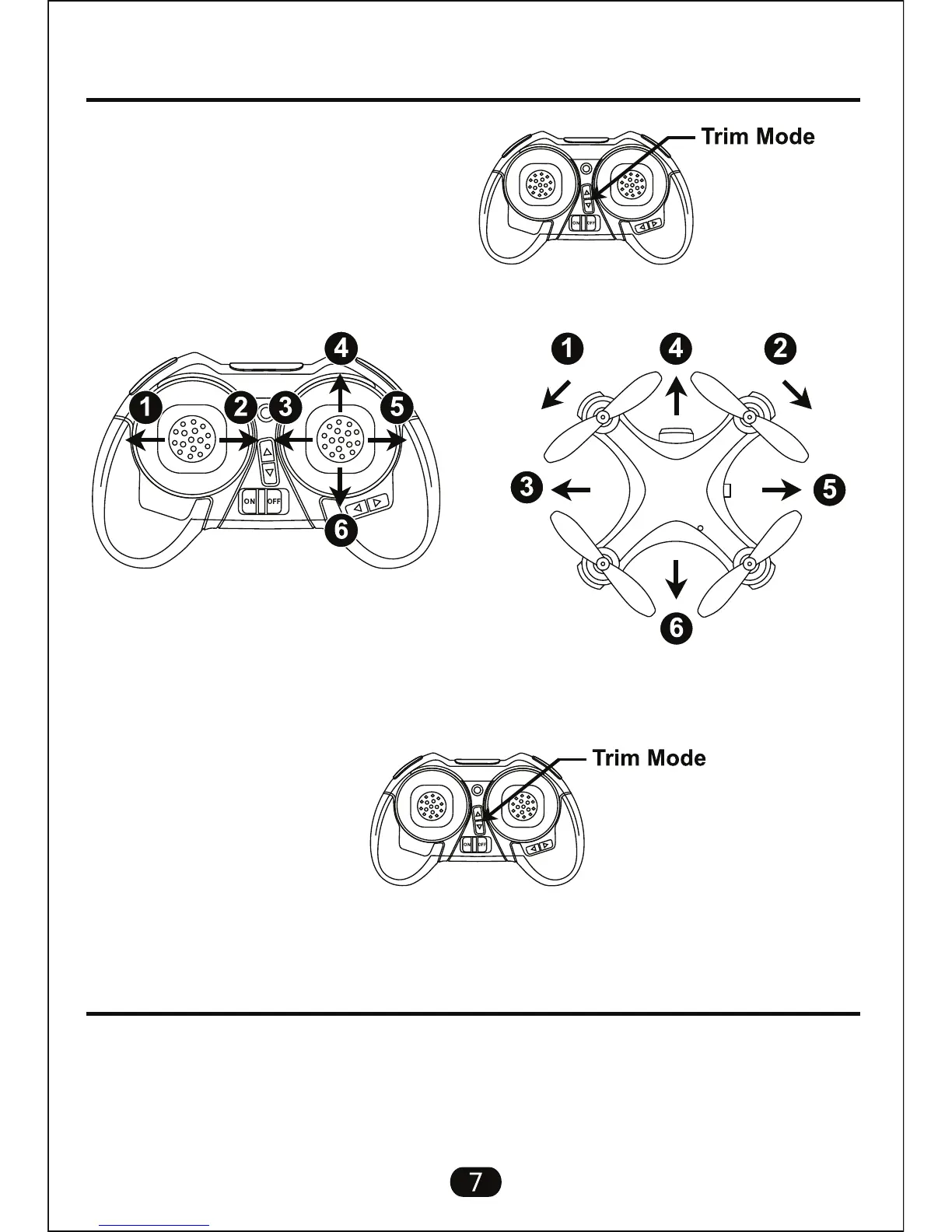
Trimming Adjustment
Camera Operation
Picture Operations:
Step 1 - Press Trim Mode to start process;
Step 2 - Use the Left and Right control sticks to adjust drone trim;
While flying the drone, press the picture button on the transmitter once to take
a single picture. The indicator light will flash once to indicate image is captured
and saved to the installed memory card.
Step 3 - Press the Trim Mode button again to stop adjusting trim;
Note: When in trim mode, the left and right control sticks can not be used to
control the direction of drone.
1. Turn Left Trim
2. Turn Right Trim
3. Strafe Left Trim
4. Forward Trim
5. Strafe Right Trim
6. Backward Trim



 To Next Page