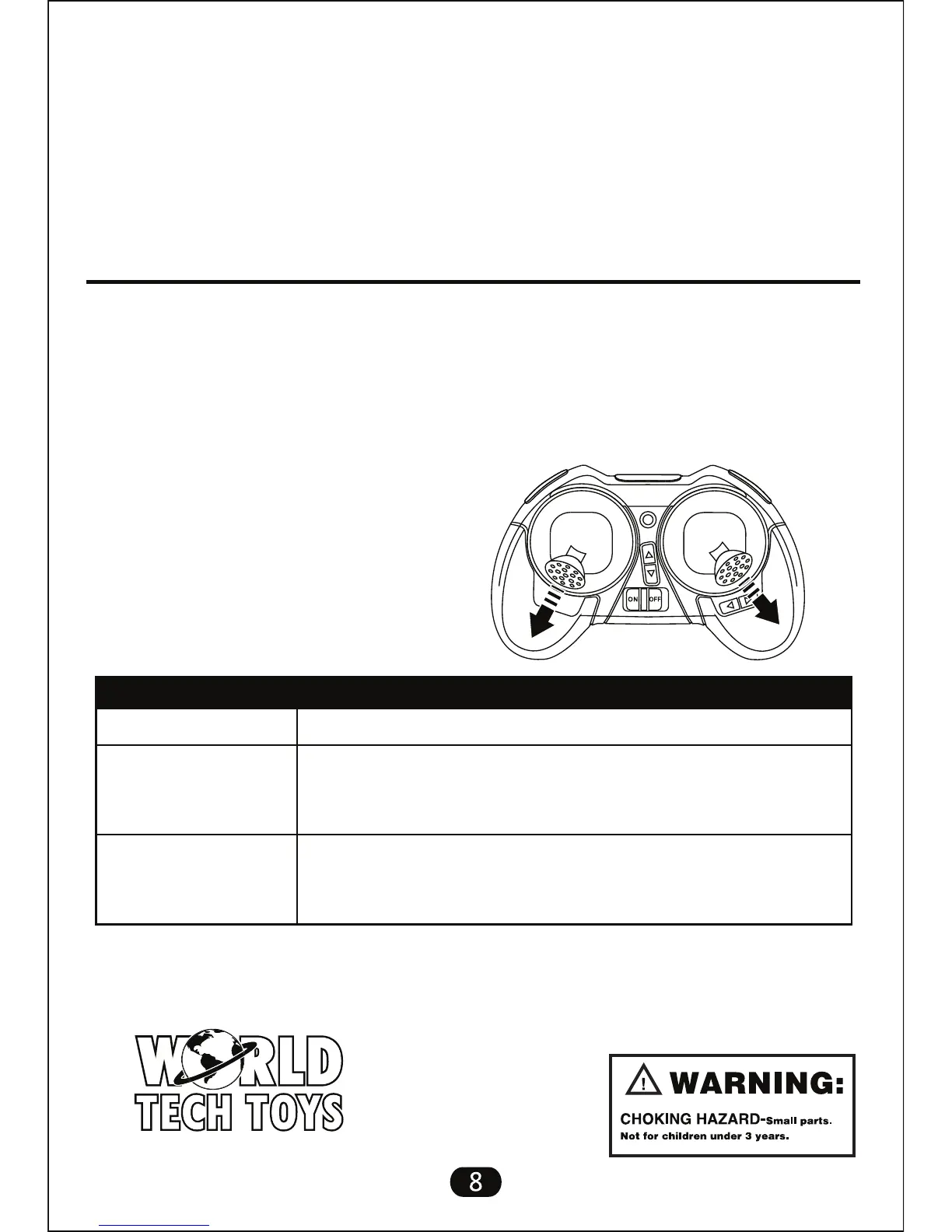
Accelerator Calibration
Video Operations:
While flying the drone, press the video button on the transmitter once to start
recording video. The indicator light will turn on to indicate video is being
recorded. Press the video button again to stop recording, the indicator light will
turn off and the video is saved to the installed memory card.
Turn off drone and transmitter, turn on and pair again.
Recharge drone battery. Replace transmitter batteries.
If still not working, perform Accelerator Calibration.
Turn off drone and transmitter, turn on and pair again.
If problem persists, check rotor blades and replace if
damaged.
Can’t take off
Troubleshooting Maintenance Method
Troubleshooting of Drone
Rotors don’t work
or drone is drifting
on take off
When the drone flies unstable or drifts quickly in one direction you need to calibrate
the accelerometer.
After flight, use the included card reader to view images and footage on any computer.
1. On a flat surface, pair the transmitter to the drone so it is ready to fly.
2. Set the drones speed to maximum, 3 beeps. Keep the throttle at its lowest
position.
3. Push the left control stick to the bottom-left corner and the right control stick
to the bottom-right corner. The drones
lights will flash for 1-2 seconds to
indicate calibration is complete.
Website: www.worldtechtoys.com
Email: customerserv@worldtechtoys.com
Phone: (877) 498-8697
Monday - Friday / 9:00AM - 5:00PM / Pacific Time
WWW.WORLDTECHTOYS.COM
MADE IN CHINA
SPECIFICATIONS,
COLORS AND CONTENT
MAY VARY FROM ILLUSTRATIONS



 To Previous Page