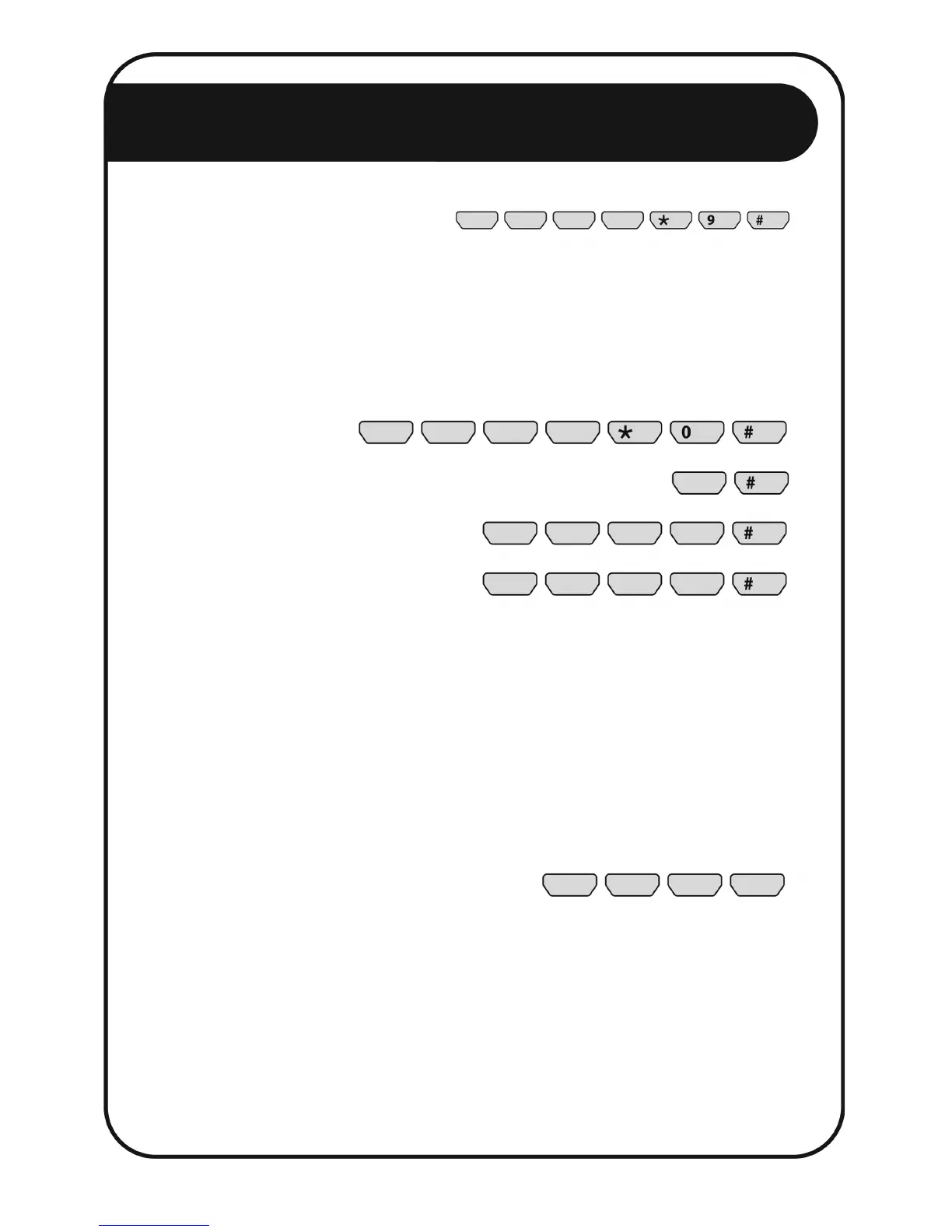
Enter your PIN and press the * key, enter the digit 9, then press the # key.
The SERVICE ALARM light will start flashing slowly to confirm that the service alarm is
bypassed. To cancel the bypass, repeat the same sequence of keys.
CHANGING A USER PIN
Master PIN
User (1-2)
New PIN
New PIN
Enter your master PIN, press the * key, enter the digit 0, then press the # key.
Enter the user number (1-2), and push the # key. User number 1 is the master PIN. Enter
that user’s new PIN and press the # key. Enter the new PIN again and press the # key. If
the new PIN is accepted, the control panel will beep twice. If you make a mistake while
programming, or if the system rejects the new PIN, the control panel will beep three times.
The default master user PIN is 1 2 3 4. Check the new PIN. If not accepted, the previous
PIN will remain valid.
KEY DEFINITIONS:
Four digit Personal Identification Number (PIN)
NOTES:
• The Master User (i.e. User #1) can bypass alarm conditions.
• The Normal User (i.e. User #2) can only turn the energizer on/off.
• The installer may alter certain energizer parameters such as voltages and
delay times.


 To Next Page