
 Need help?
Do you have a question about the Neo Instruments VENTILATOR II and is the answer not in the manual?
Overview of Bypass, Slow/Fast, and Stop switches and their LED feedback.
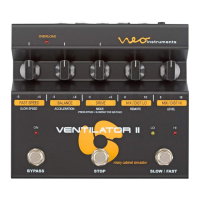
Adjusts the speed of the bass and treble rotors in FAST mode.
Engages the onboard tube simulator to add distortion and saturation.
Adjusts the speed of the bass and treble rotors in SLOW mode.
Sets the time taken for rotor speed transitions between slow and fast.
Provides critical safety advice for operating the device and preventing hazards.
 General
| Type | Rotary Speaker Simulator |
|---|---|
| Technology | Digital |
| Input Impedance | 1 MOhm |
| Power Supply | 12V DC power supply (included) |
| Controls | Speed, Distance, Drive |
| Inputs | 1 x 1/4" (instrument) |
| Outputs | 2 x 1/4" |
| Output Impedance | 100 Ohm |
| Weight | 1.2 kg |

 To Next Page