
 Need help?
Do you have a question about the Neoline X-COP 8700s and is the answer not in the manual?
Details standard windshield mounting using suction cups or adhesive tape.
Explains inverted windshield mounting and the Flip Display function.
Covers mounting the device on the dashboard using a magnetic mount.
Instructions for attaching the sun visor accessory to the radar detector body.
Guide for connecting the device to the car's power supply via the fuse box.
Explains using the ON/MENU key for power, menu entry, and setting saving.
Details volume adjustment, menu navigation, and adding/deleting detection zones.
Describes the Z-signature filter for reducing false alerts from car assistance systems.
How to switch between detection modes like City, Route, Turbo, and X-COP.
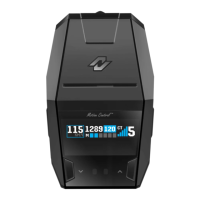
Explains the data shown on the screen for speed, time, detection modes, and GPS data.
Details the EXD Plus module for extended detection range, especially rear detection.
Explains the patented gesture control for muting audio alerts by waving a hand.
Covers various K-band settings like Wide, Narrow, Super Narrow, POP, and City mode.
Explains M-Band for specific radars and Ka-Band for various police radar types.
Details frequency band configurations based on geographical regions like World, Europe, USA.
How the LED bar indicates GPS point warnings and speed limit violations.
LED bar indication for radar detection levels and signal intensity.
LED bar indication for simultaneous GPS and radar detection events.
Instructions to enter X-LOGIC mode for measuring car acceleration.
Explains the information displayed during X-LOGIC measurements, including speed and time.
Process for submitting missed police camera locations to the GPS database.
Step-by-step guide for updating the device's firmware via flash card.
Guidelines for safe operation, accessory use, and device care.
Information on regulatory compliance and manufacturer's responsibilities.
 General
| GPS Receiver | Yes |
|---|---|
| Camera | No |
| Wi-Fi | No |
| Battery | Built-in rechargeable battery |
| GPS | Yes |
| Type | Radar detector with GPS |
| Detection Bands | X, K, Ka, Laser |
| Display | Color LCD |
| Voice Alerts | Yes |
| Sensitivity Settings | Adjustable |
| GPS database | Yes |
| GPS Features | Speed camera alerts |
| Power Source | 12V |
| Resolution | 320 x 240 pixels |

 To Next Page