EasyManua.ls Logo

Neoline X-COP 9100 - User Manual

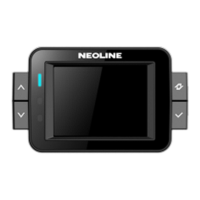
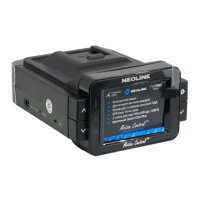
Neoline X-COP 9100
34 pages
Print Icon
To Next Page IconTo Next Page
Loading...
1
User’s Manual of X-COP 9100
[ X-COP 9100 Introduction]
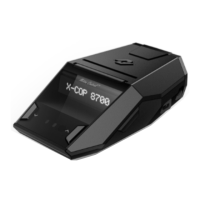
- X-COP 9100 is high performance GPS Radar Detector with Full HD Black Box specially designed and optimized
for Russian market, which receives the signals of X, K, Ka, Laser, Strelka bands and GPS & Glonass signal
effectively.
- X-COP 9100 uses the Ambarella A7 Chip for Black box which is the up to date technology so that a high resolution
video recording is always available.
- X-COP 9100 uses IMX322 which is an image sensor with high quality made by SONY; especially it shows very
good quality at nighttime video.
- 2.0 inch IPS LCD helps user to see the video easily and the Radar and GPS alert screen effectively.
- The GPS & Glonass module is equipped so that it catches the fixed and moving speed cameras in addition to
Radar signal detection and gives an exact warning to driver effectively.
- X-COP 9100 has a special feature as “Motion Control
TM
” which controls mute on/off function by hand gesture.
- Before using X-COP 9100, please read the method of use as follows.
Contents
[ Features ] ....................................................................................................................................................................... 2
[ Specifications ] ............................................................................................................................................................. 3
1. Car Blackbox specifications ............................................................................................................................ 3
2. Radar specifications ......................................................................................................................................... 4
3. GPS specifications ......................................................................................................................................... 4
4. Characteristics .................................................................................................................................................. 4
[ Devices & Accessories ]............................................................................................................................................... 5
[ Installation ] ................................................................................................................................................................... 6
1. Mounting ............................................................................................................................................................ 6
2. Power cable installation ................................................................................................................................... 7
[ Operation ] ..................................................................................................................................................................... 8
1. Buttons .............................................................................................................................................................. 8
2. Power On and Off. ............................................................................................................................................ 9
3. All time display (Normal Screen) .................................................................................................................. 91
4. Parking mode ................................................................................................................................................ 134
Question and Answer IconNeed help?

Do you have a question about the Neoline X-COP 9100 and is the answer not in the manual?

Summary

Specifications

Car Blackbox specifications

Details on processor, sensor, lens, and display of the black box.

Radar specifications

Technical specifications for various radar bands and detection types.

GPS specifications

Details on the GPS module, antenna, and start-up times.

Characteristics

Electrical input, current consumption, dimensions, and operating temperature.

Installation

Mounting

Recommended location and methods for mounting the device on the windshield.

Power cable installation

Instructions for connecting the cigarette power cord and all times power cable.

Operation

Buttons

Explanation of the functions of the Power, Up/Down, and Menu buttons.

Power On and Off

Steps to turn the device on and off, including start-up and shutdown sequences.

All time display (Normal Screen)

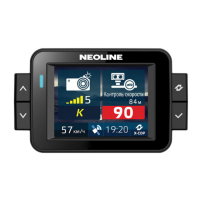
Explanation of the icons and information displayed on the normal operating screen.

Parking mode

How the device enters and operates in parking mode, including recording times.

Motion Control operation

How to use the hand gesture control for muting alerts.

Mute

Functionality of muting radar or GPS alerts.

Auto mute

How the volume level automatically decreases during alerts.

Voice On;Off

How to enable or disable voice announcements.

Beep On;Off

How to enable or disable beep sounds for alerts.

Radar band On;Off

How to enable or disable specific radar bands for detection.

Firmware upgrade

Step-by-step guide for updating the device's firmware using an SD card.

SD card format

Instructions for formatting the SD card to clear data.

Radar alert

How radar alerts are displayed, including band identification and signal strength.

GPS alert

Explanation of GPS alerts, POI types, and detection distances.

Setting mode

How to access and navigate the device's settings menu.

X-COP Player

X-COP Player installation

Steps to install the X-COP Player software on a computer.

X-COP Player screen

Overview of the user interface and elements of the PC player.

Screen setting

How to adjust display settings within the X-COP Player software.

Neoline X-COP 9100 Specifications

General IconGeneral
TypeRadar Detector
Detection Rangeup to 2 km
GPS DatabaseYes
DisplayOLED
GPSYes
Radar BandsX, K, Ka, Laser
Signature FilteringYes
Motion SensorYes
Voice AlertsYes
Auto MuteYes
City ModeYes
Power Supply12V
Frequency BandsK: 24.150 GHz, Ka: 34.700 GHz, Laser: 904 nm

Related product manuals