Need help?
Do you have a question about the Neoline X-COP 9300 Series and is the answer not in the manual?
Step-by-step guide for mounting the device using a 3M scotch tape and connecting power.
Description of different radar detection modes (X-COP, City, Motorway, Turbo).
Assigning and using the Hot Key for brightness, Red Zone, Silent Zone, and event saving.
Information shown when a police radar is detected, including speed and distance.
Settings for display, resolution, video quality, and sensors.
Settings for auto mute, GPS mute, voice, sound, and detection priorities.
Step-by-step guide to download and install firmware updates.
Instructions for installation, power, handling, and cleaning the device.
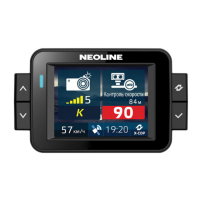
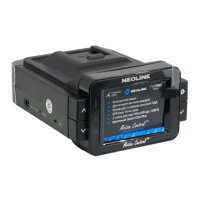
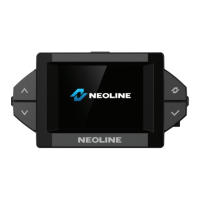
The Neoline X-COP 9300* is a hybrid device combining a radar detector and a DVR (Digital Video Recorder), designed to enhance driving safety and provide comprehensive road monitoring. This quick start guide covers the installation, controls, functions, and various settings of the device, applicable to all Neoline X-COP 93xxx models.
The primary function of the Neoline X-COP 9300* is to detect police radars and record video footage simultaneously. As a radar detector, it identifies various radar signals, including K, Ka, Laser, and Strelka bands, and provides alerts to the driver. It features different detection modes such as X-COP, City, Motorway, and Turbo, each offering varying levels of sensitivity and false warning resistance. The X-COP mode intelligently adjusts frequency bands and sensitivity based on vehicle speed, optimizing performance.
As a DVR, the device continuously records video footage of the road ahead. It includes features like emergency recording (saving current screen to Events folder), photo mode, and the ability to record audio inside the car. The DVR functionality is crucial for documenting incidents, providing evidence in case of accidents, or simply capturing driving memories.
The device also integrates GPS functionality, which is used for time correction, speed display, and providing alerts for GPS points such as cameras, radars, and red/silent zones stored in its database. The GPS database can be updated to ensure accuracy.
Installation: The device can be mounted on the windshield using either a 3M scotch tape mount or a 3M tape mount with an active charger (supplied with Neoline X-COP 9300 only). The active charger mount simplifies power connection by integrating it directly into the mount, allowing for quick attachment and removal of the hybrid. For optimal video recording, the DVR frame should capture 30% sky and 70% road. Power is supplied via a 12-24 V Neoline Power Cord Hybrid, which connects to the car socket. An alternative 3-pin fuse cord connection (for Neoline X-COP 9300 only) allows for direct wiring to the car's fuse box, connecting to BATT (+12V), ACC (+12V ignition circuit), and GND (-) car earth.
Controls: The device features "Up," "Down," "Menu," "Select," "Hot Key," "On/Off," and "Reset" buttons.
Display and Alerts: The main screen displays current speed, time, detection sensitivity mode, and icons for record audio, display brightness, Z-signature filter, and record video. When a police radar is detected, it shows the radar name, current allowed speed, average car speed, signal intensity, and distance to the GPS point. The device provides both visual and audio alerts, with customizable settings for voice notifications, sound notifications, and GPS/RD announcement priorities.
Z-signature Filter: This proprietary Neoline technology reduces false warnings caused by other cars' blind zone sensors without blocking true warnings. Users can select K band frequencies (K Broad, K Narrow, K Ultra-Narrow) to further minimize false warnings based on regional radar frequencies.
DVR Settings: A wide range of DVR settings are available, including display brightness, auto turnoff, screensaver options (speedometer, dark), video resolution (Full HD/HD), audio recording, video quality, sharpness, contrast, exposition, WDR (Wide Dynamic Range), G-sensor sensitivity (driving/parking), motion sensor sensitivity (parking), parking mode activation time, record duration, and cycled recording.
Radar Detector Settings: Customizable settings include auto mute, GPS mute unless, RD mute unless, voice and sound notifications, GPS/RD announcement priorities, auto Turbo switching, Silent Zone Radius, Red Zone Radius, Overspeed tolerance, Maximum speed, and GPS announcement distance.
Firmware Updates: Firmware and GPS database updates are available on the Neoline website. The process involves downloading files to a memory card, inserting it into the device, and confirming the update through the menu.
The manufacturer reserves the right to modify equipment and software without prior notice and is not responsible for the device being used in violation of legal regulations.
 General
| Voice prompts | Yes |
|---|---|
| Detection | Radar and laser signals |
| GPS | Yes |
| Camera detection | Yes, via GPS database and radar detection of camera systems. |
| Mounting | Windshield mount |
| Anti-Falsing System | Yes |
| Speed Camera Database | Yes, with updates |
| Red Light Camera Detection | Yes |
| Power Source | 12V via cigarette lighter adapter. |

 To Next Page