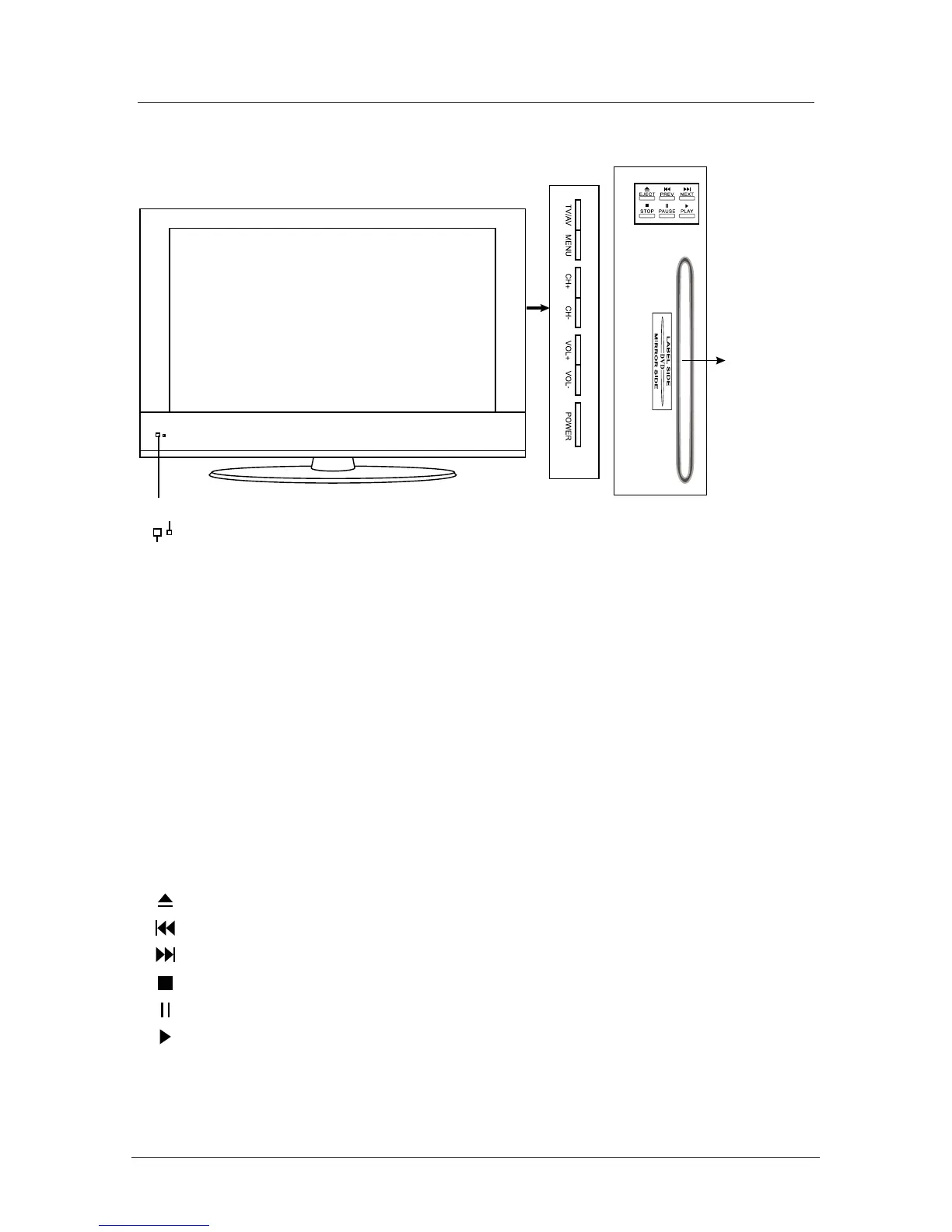
Unit and Accessories
The functions of the TV buttons are described below.
4
The functions of the DVD buttons are described below.
Menu : Press to display the OSD menu, press again to exit the menu.
Vol +/- : Press to adjust the volume.
CH+/- : Press to skip through the channels.
TV/AV : Press to display the input source menu.
Power : Press ON/OFF the TV set.
Remote Control Window
(keep clear)
LED Indicator
Insert disc
according to
the label next
to the disc slot
Play the next track or chapter
Play the previous track or chapter
Eject the disc
Play the disc playing
Pause the disc playing
Stop the disc playing


 To Next Page