7
ENGLISH
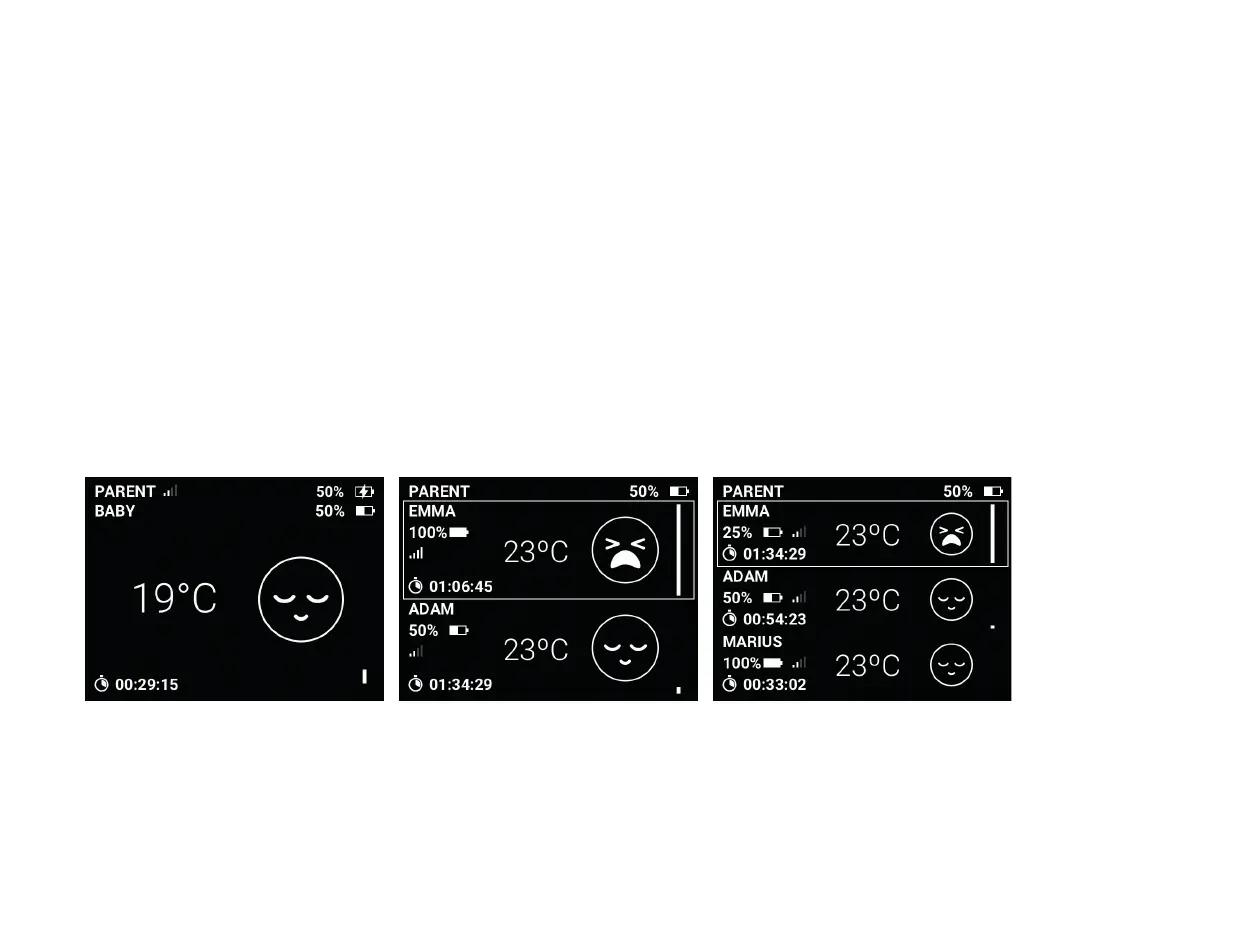
One parent unit, more than one baby unit
With the Neonate N65 baby monitor you can connect up to 3
different baby units to the same parent unit. This makes it the
perfect baby monitor for parents with more than one child.
One baby unit is always activated (look for the white frame). If you
use the talk back function, you will talk only to the baby unit that
is chosen. To change between baby units use the #BU button.
(This button has no funtion when only 1 baby unit is paired).
1 baby unit connected 2 baby units connected 3 baby units connected
To add a new baby unit go to Menu and choose Pair units. In the
submenu choose Pair new baby unit. Follow the instructions on
the screen.
When more baby units are paired, the home screen changes
The standard box contains 1 baby unit.
Extra baby units are sold separately.


 To Next Page