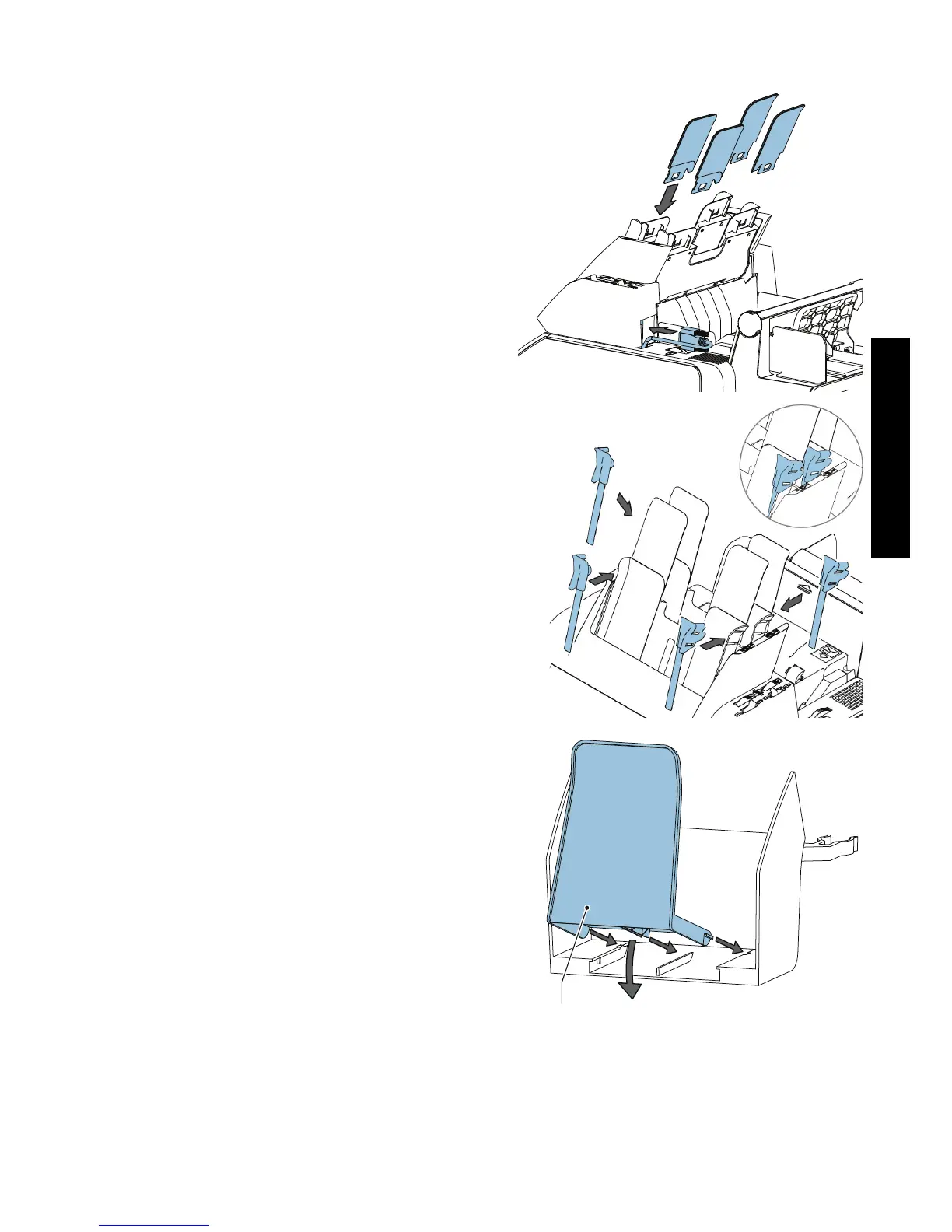
4. Install the four document supports on the
feeder trays.
5. Connect the connector.
6. Install the two paper guides LH and two
paper guides RH on the feeder trays.
Install the envelope catch tray
To install the envelope catch tray:
1. Hold support A inclined and slide the
arms into the slots.
2. Move the support down until it clicks onto
the catch tray.
3. Move the catch tray until the clamps hold
the feet of the system.
4. Adjust the catch tray to the correct
envelope size.


 To Next Page