8
MAINTENANCE
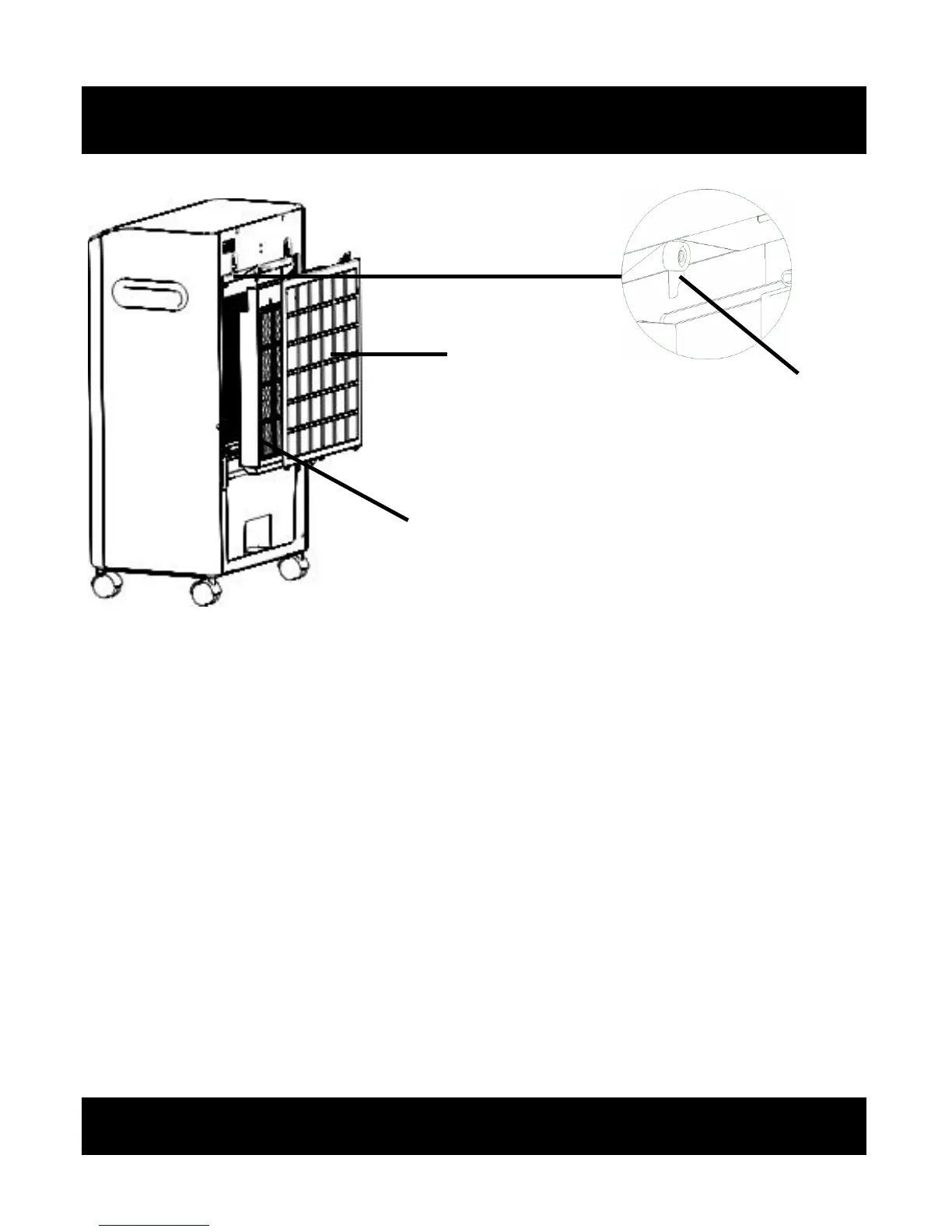
Air Filter
Honeycomb filter
Filter lock
Removing & Cleaning The Filters
1. Switch OFF the appliance and remove the plug from the power socket
outlet.
2. Pull the air filter in an outward direction to remove.
3. Turn the filter lock to the horizontal position to release the honeycomb
filter.
4. Pull the honeycomb filter in an outward direction to remove.
5. The air filter can be vacuumed using an appropriate hose and attachment
to remove any accumulated particles.
6. The honeycomb filter can be washed using a mild sterilising solution to
keep fresh and free from bacteria.
7. Reverse the filter removal process to re-fit the filters.
8. The water tank should be removed once a week and cleaned to ensure
clean air is recycled into the atmosphere.


 To Next Page