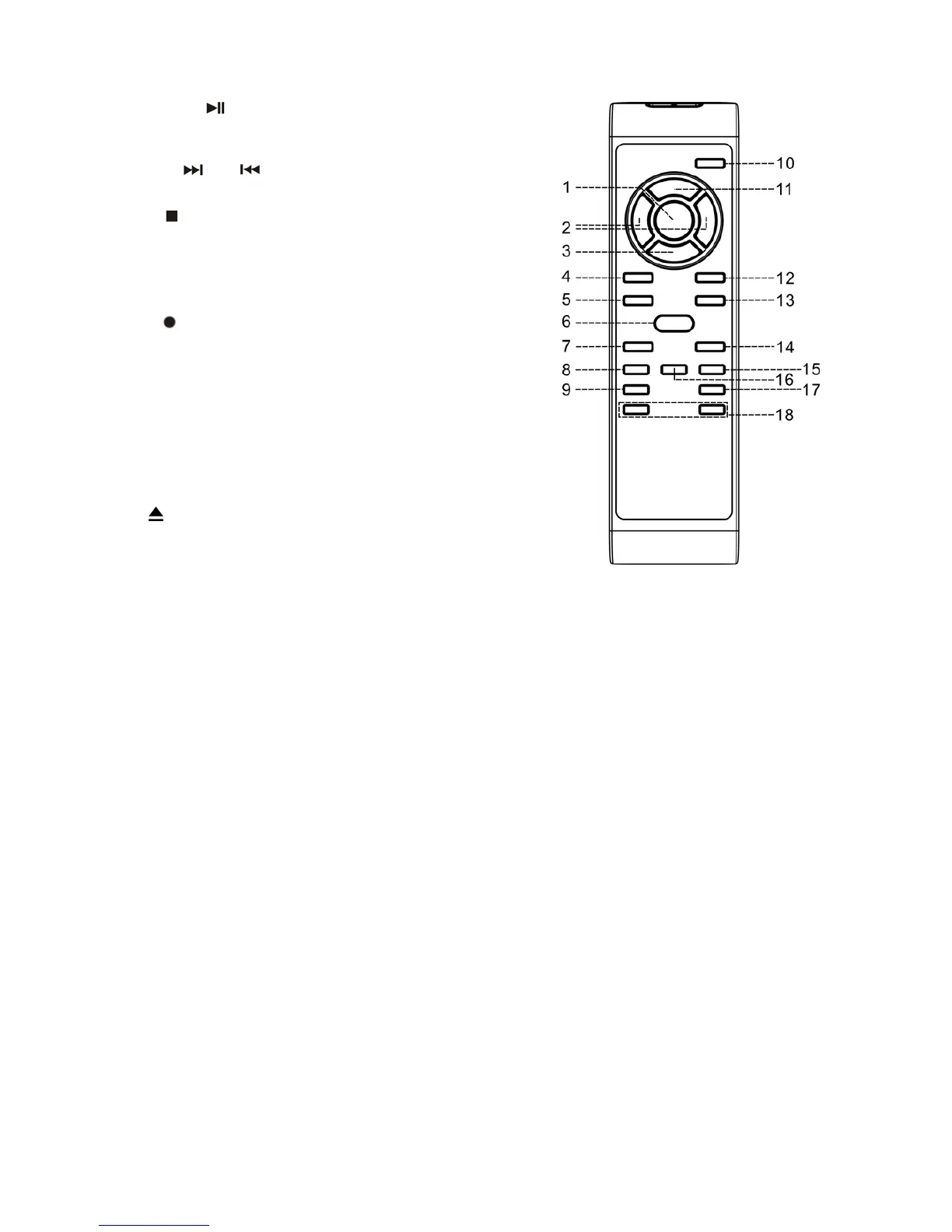
Button descrition
1) Play/Pause In CD mode, press once to start
playback. Press again to enter
pause mode
2) Skip up
/down Press to select previous / next tracks
in CD mode
3) Stop In CD mode, press to stop
playback
4) CD Press to select CD function
5) Phono Press to select Phono function
6) Rec
Press to active CD Recording
function
7) Repeat In CD mode, press to activate repeat
play function
8) Display Press to change the CD playback
information
9) Erase Press to erase or un-finalize a
CD-RW disc
10) Open/Close Press to open and close the CD tray
11) Program In CD mode, press to activate
programming function
12) Tape Press to select tape function
13) Aux Press to select aux function
14) Random In CD mode, press to activate random play function
15) Clear Press to clear the programmed tracks
16) Track separation Press to generate a new track during recording
17) Finalize Press to finalize the CD-R(W) disc after recording
18)Volume +/- Press to adjust the volume level
E-8



 To Next Page