EasyManua.ls Logo

Nero 743221 - User Manual

Nero 743221
5 pages
Print Icon
To Next Page IconTo Next Page
Loading...
1
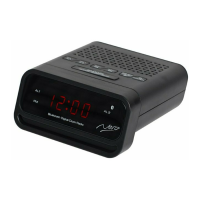
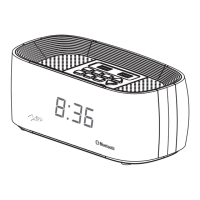
BLUETOOTH DIGITAL DUAL ALARM FM CLOCK RADIO
Product Number 743221
INSTRUCTION MANUAL
Read this manual carefully to get the best performance from this unit.
WARNING: TO REDUCE THE RISK OF FIRE OR ELECTRIC SHOCK, DO NOT EXPOSE THIS APPLIANCE TO RAIN
OR MOISTURE.
CAUTION: THE CLOCK RADIO MUST NOT BE USED IN ANY ENVIRONMENT WHERE IT MAY BE SUBJECT TO THE
DRIPPING OR SPLASHING OR WATER OR OTHER LIQUIDS.
DO NOT CONNECT THE ANTENNA WIRE ON THE BACK OF THIS SET TO ANY OUTDOOR ANTENNA
IMPORTANT
Read these instructions.
Heed all warnings.
Follow all instructions.
Do not block any ventilation openings, Install in accordance with the manufacturer’s instructions.
Do not install near any heat sources such as radiators, heat registers, stoves, or other apparatus
(including amplifiers) that produce heat.
Only use attachments/accessories specified by the manufacturer.
Unplug this clock radio during lightning storms or when unused for long periods of time.
Question and Answer IconNeed help?

Do you have a question about the Nero 743221 and is the answer not in the manual?

Summary

Safety and Warnings

Fire, Electric Shock, and Antenna Precautions

Warns against rain, moisture, and outdoor antenna connection to prevent fire or electric shock risks.

Water Exposure and Environmental Caution

Advises against using the clock radio in environments prone to dripping or splashing water.

Important Usage Guidelines

Lists essential instructions for safe operation, including ventilation, heat sources, and proper usage.

Location of Controls

Control Identification and Diagram

Identifies and illustrates all physical buttons, indicators, and ports on the clock radio for user reference.

Power and Time Setting

Connecting Power and Battery Backup

Details power connection requirements and the use of batteries for temporary power backup.

Setting the Clock Time

Provides step-by-step instructions for setting the clock to 12 or 24-hour format and the correct time.

Radio Operations

Listening to FM Radio

Explains how to tune into FM radio stations, including automatic and manual tuning methods.

Storing FM Radio Stations

Guides users on how to store up to 20 FM radio stations using automatic scan or manual preset.

Listening to Preset FM Stations

Details the procedure for selecting and listening to previously stored FM radio stations.

Advanced Functions

Bluetooth Device Pairing

Instructs users on how to connect a Bluetooth-enabled device or smartphone to the clock radio.

Controlling Music Playback

Explains how to adjust volume, skip tracks, and play or pause music from a connected Bluetooth device.

Setting Alarm Timers

Provides instructions for setting up to two separate alarm times, with radio or buzzer options.

Snooze and Sleep Timer Functions

Details how to activate the snooze function for alarms and set the sleep timer for automatic radio shut-off.

Adjusting Display Brightness

Explains how to adjust the brightness level of the digital display.

USB Charging Functionality

Describes how to use the USB port to charge external devices like smartphones.

Nero 743221 Specifications

General IconGeneral
BrandNero
Model743221
CategoryClock Radio
LanguageEnglish

Related product manuals