Need help?
Do you have a question about the Nero 7434601 and is the answer not in the manual?
Explains safety symbols like caution, lightning bolt, and exclamation mark.
Instructions on usage near water, cleaning, ventilation, heat, power cords, and unplugging.
Details technical specifications like Bluetooth version, output power, frequency range, and S/N ratio.
Lists the components provided with the unit, including the manual and AC adapter.
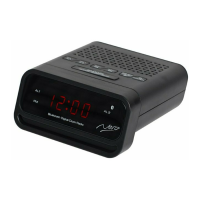
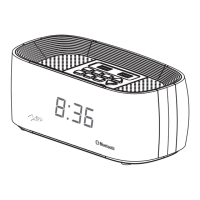
Identifies and explains the buttons and display elements on the front of the unit.
Details the ports and controls located on the back of the unit.
Describes controls and the wireless charging feature on the top surface of the unit.
Instructions for connecting power, turning on the device, and setting the clock time.
Details on setting the alarm, activating snooze, and stopping the alarm.
Guide to pairing, playing music via Bluetooth, answering, and ending calls.
Instructions for tuning in, scanning, and selecting FM radio stations.
Steps for connecting external devices via AUX and using USB for playback and charging.
Explanation of the lithium battery's role in retaining clock/alarm settings during power failure.
Covers placement, foreign materials, charging completion, case thickness, and network signal impact.
Provides recommendations for keeping the product dry, away from heat/cold, and avoiding damage.
Addresses common issues like no sound, Bluetooth pairing, voice clarity, radio reception, and device unresponsiveness.
Explains reasons for lost settings due to power interruptions and how to reset.
 General
| Brand | Nero |
|---|---|
| Model | 7434601 |
| Category | Clock Radio |
| Language | English |

 To Next Page