15
4
2
1
OFF
ON
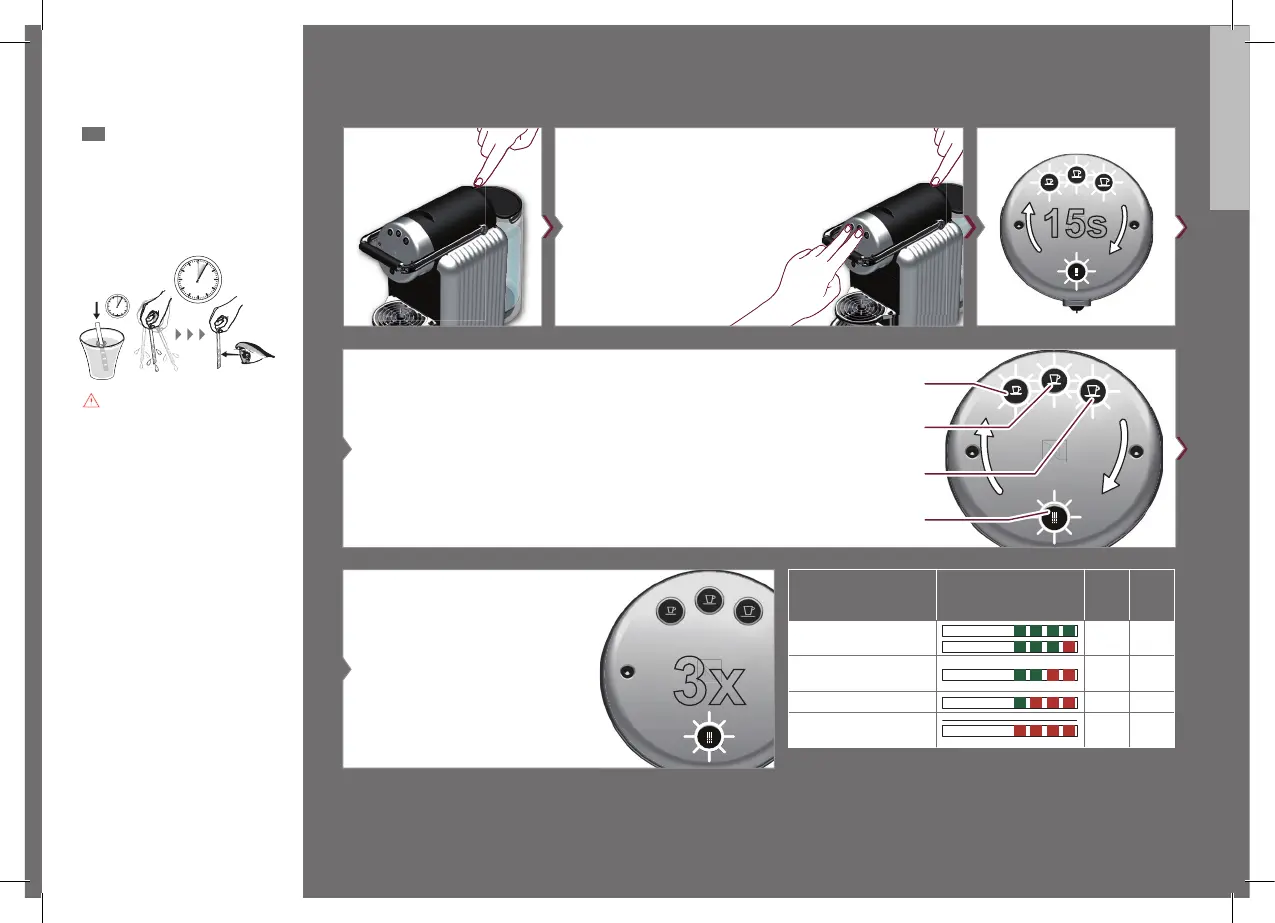
Press and hold Ristretto and Espresso
buttons while turning on the machine.
soft
medium (factory setting)
hard
very hard
To select water hardness setting, press
during blinking cycle.
Dip test strip briefly
(1 sec) into water.
Shake o excess and
wait 1 min. Reset
water hardness
in your machine
accordingly.
EN
Water hardness setting
5
Confirmation of selection. Example:
water hardness selection "very hard"
3
Water hardness Strip colour code
dH fH
soft
< 7 < 13
medium
7-14 13-25
hard
14-21 25-38
very hard
> 21 > 38
1 Min
1s
UM_ZENIUS_Z4.indb 15 12.03.19 16:03







 To Next Page