EasyManua.ls Logo

Nespresso Pixie - User Manual

Nespresso Pixie
604 pages
Print Icon
To Next Page IconTo Next Page
Loading...
PIXIE

Table of Contents

Other manuals for Nespresso Pixie

Questions and Answers

  • J
    Jack DunnJul 25, 2025
    Why is no coffee or water coming out of my Nespresso Coffee Maker?
    • P
      Patricia ParsonsJul 26, 2025
      If your Nespresso Coffee Maker isn't dispensing coffee or water, try these steps: For the first use, rinse the machine with warm water (max. 55° C / 130 F) and operate the machine in accordance with the instructions on page 10. Also, make sure the water tank is filled. If the problem continues, it may be necessary to descale the machine.
  • K
    Kimberly SawyerJul 31, 2025
    Why does coffee come out very slowly from my Nespresso Coffee Maker?
    • B
      Brian SkinnerJul 31, 2025
      The speed at which coffee flows from your Nespresso Coffee Maker depends on the coffee variety. If the flow is consistently slow, descaling the machine might be necessary.
  • A
    Amanda BrownAug 4, 2025
    Why is coffee not hot enough in my Nespresso Pixie?
    • M
      Megan HaynesAug 5, 2025
      If the coffee from your Nespresso Coffee Maker isn't hot enough, descaling the machine might be necessary.
  • M
    michaelkelleyAug 9, 2025
    What to do if my Nespresso Coffee Maker has no coffee and no water?
    • N
      Nicholas HarveyAug 9, 2025
      If your Nespresso Coffee Maker isn't dispensing coffee or water, try these steps: For the first use, fill the water tank with warm water (up to 55°C / 130°F) and run the machine as instructed on page 10. Also, make sure the water tank is filled. If the problem continues, it may be necessary to descale the machine.
  • P
    Phillip MaldonadoAug 14, 2025
    How to fix no light on Nespresso Coffee Maker display?
    • I
      Isabella NewmanAug 14, 2025
      To address a missing light on your Nespresso display, check the power outlet, the plug, the voltage and the fuse. If problems persist, contact Nespresso.
  • K
    Kayla SmithAug 19, 2025
    How to fix no light indicator on Nespresso Coffee Maker?
    • J
      joshua40Aug 19, 2025
      To address a missing light indicator on your Nespresso, check the power outlet, the plug, the voltage and the fuse. If problems persist, contact Nespresso.

Summary

How to Navigate the User Manual

Start

Safety

Essential safety precautions and warnings for operating the Nespresso machine to prevent harm or damage.

Register your machine

Guide to registering your new Nespresso machine for enhanced customer support and personalized assistance.

Machine overview

Detailed diagram and explanation of all parts and components of the Nespresso machine.

Packaging content

List of items included in the Nespresso machine packaging, ensuring you have everything needed for setup.

On;Off

Instructions for powering the Nespresso machine on and off, including preheating times and automatic shut-off.

First steps

Initial setup procedures for the Nespresso machine, including rinsing the water tank and preparing for first use.

Coffee Preparation

Maintenance

Cleaning

Instructions for cleaning the Nespresso machine components, emphasizing proper methods and materials to use.

Descaling

Step-by-step guide on how to descale the Nespresso machine to maintain performance and longevity.

Preparing for Repair or Storage

Procedures for preparing the Nespresso machine for periods of non-use, frost protection, or before sending for repair.

Troubleshooting

Settings

Specifications

Technical specifications of the Nespresso machine, including dimensions, weight, power, and capacity.

Personalise your coffee size

Guide on how to reprogram the Nespresso machine to adjust the volume of coffee for Espresso and Lungo.

Reset to factory settings

Instructions to restore the Nespresso machine's default settings, including coffee volumes and other parameters.

Water hardness settings

Information on water hardness levels and recommendations for descaling frequency based on water type.

Energy saving mode

How to configure the energy-saving mode for the Nespresso machine, adjusting automatic shut-off times.

Disposal and Environmental Protection

Nespresso Pixie Specifications

General IconGeneral
Product typeEspresso machine
Built-in grinderNo
Capacity in cups- cups
Hot water system-
Coffee input typeCoffee capsule
Coffee maker typeSemi-auto
Appliance placementCountertop
Brand compatibilityNespresso
Water tank capacity0.7 L
Maximum operating pressure19 bar
Reservoir for brewed coffeeCup
Control typeButtons
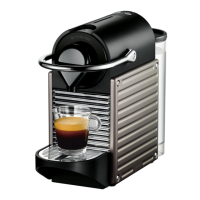
Product colorBlack, Titanium
Removable water tankYes
Used capsules container capacity10 pc(s)
Auto power off after (max)9 min
Weight and Dimensions IconWeight and Dimensions
Depth326 mm
Width111 mm
Height235 mm
Weight2800 g

Related product manuals