User’s Manual
13
3.1 Front Panel Introduction
The unit’s front panel controls enable user to control the unit and preset the
programmable functions.
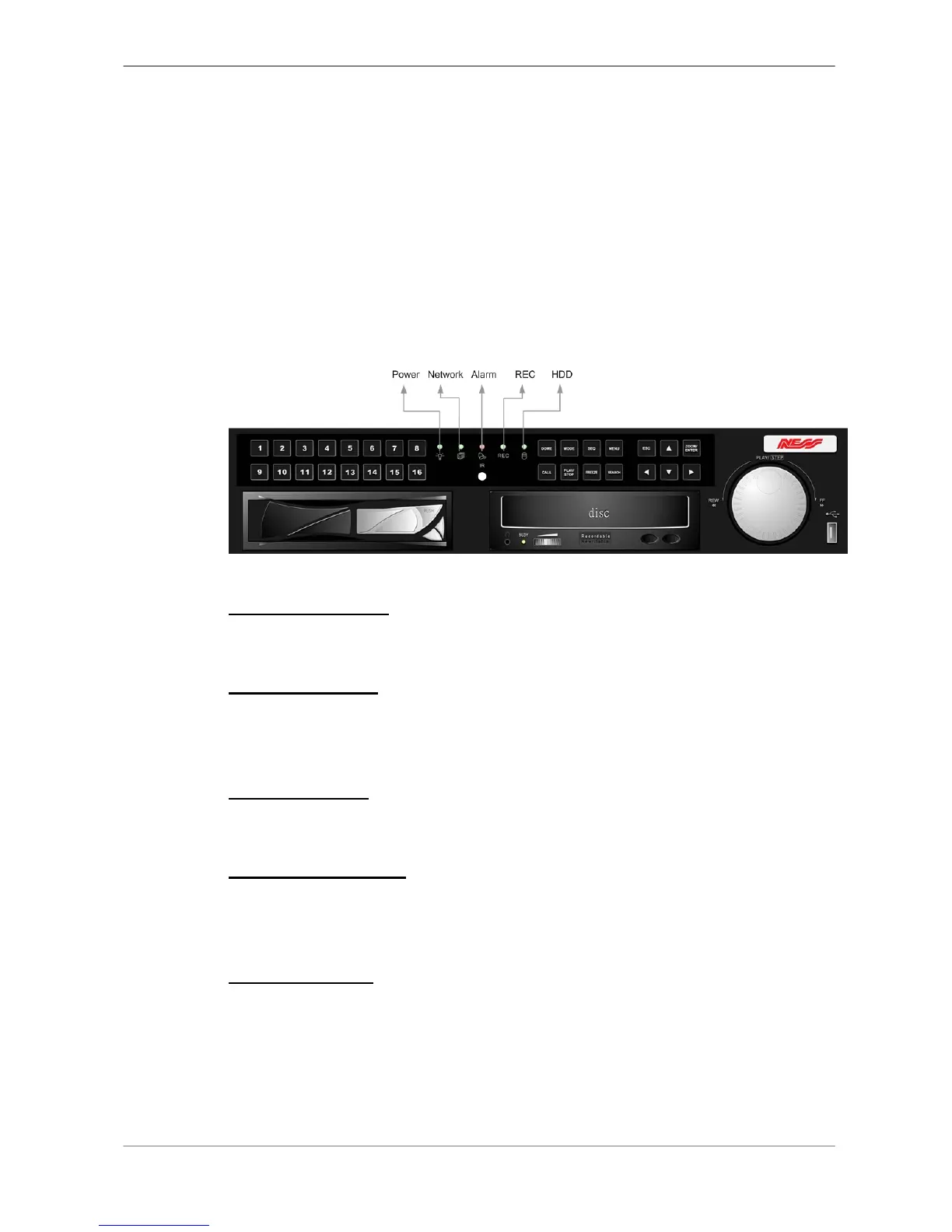
3.1.1 LED Definition
The Full-featured MPEG-4 DVR LEDs on the front panel are described as
follows.
Power LED (Green)
The LED lit during the period when the correct power is connected to the unit.
HDD LED (Yellow)
The LED should be lit while the HDD is processing data to or from the
connected HDD.
Alarm LED (Red)
The LED should be lit during an alarm is triggered.
Network LED (Green)
The LED should be lit when Full-featured MPEG-4 DVR is connected to a
network and blink when the data is being transferred.
REC LED (Green)
The LED should blink while the Full-featured MPEG-4 DVR is recording.



 To Next Page