User’s Manual
14
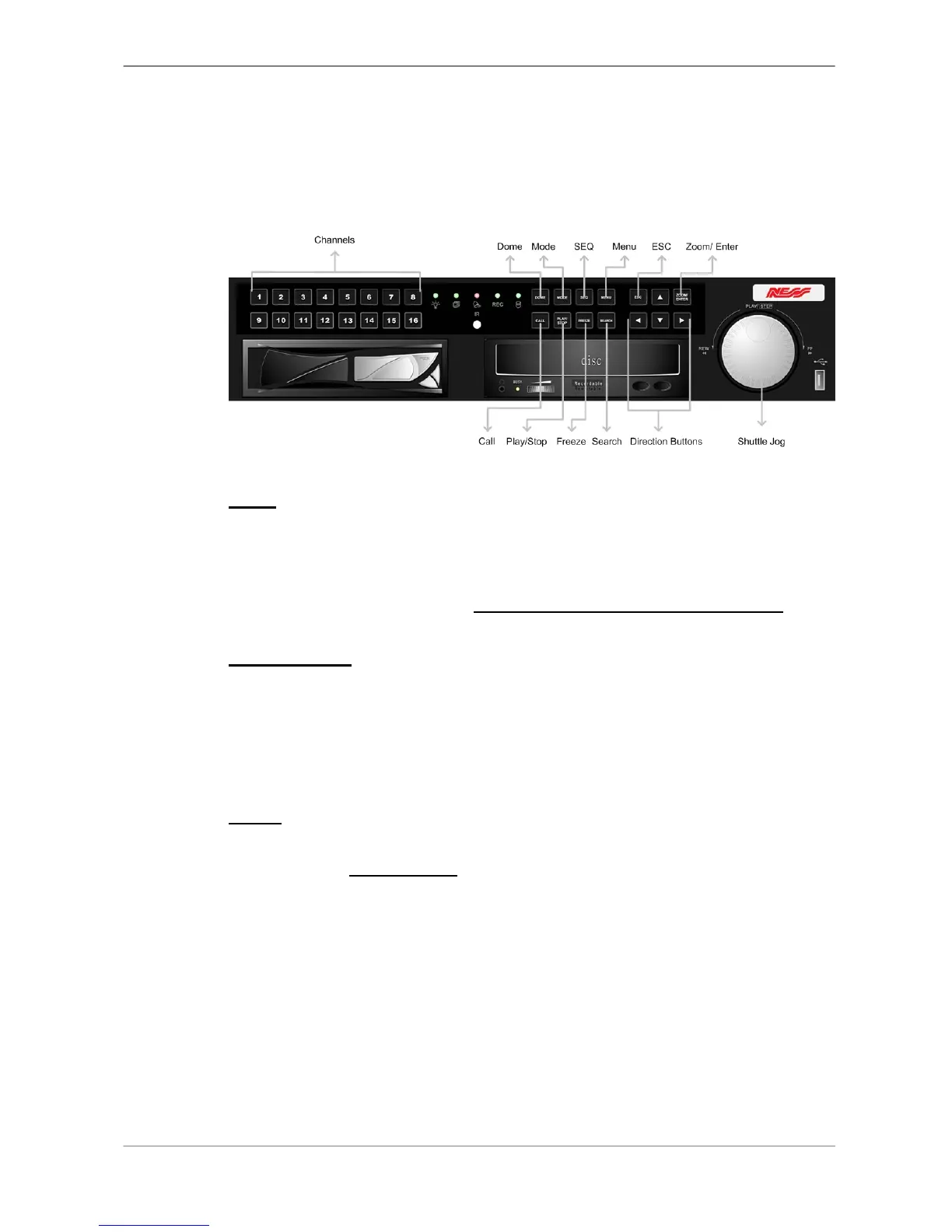
3.1.2 Functional Keys
The Full-featured MPEG-4 DVR functional keys on the front panel for normal
operation are described as follows.
CALL
• In Live mode, press to enter call monitor control mode.
• In Playback mode, press to quick export video to external device, including
USB CD-RW and ThumbDrive
®
, etc. Detailed operation refer to OSD
Menu Setup Guide, Section Quick Video Export through Front Panel.
Direction Keys
• In Zoom mode, these keys function as Direction keys.
• In the OSD setup menu, the Direction keys are used to move the cursor to
previous or next fields. To change the value in the selected field, press UP
/ DOWN keys.
DOME
Press the key to enter dome control mode. Please refer to OSD Menu Setup
Guide, Section Dome Control
for detailed controlling operation.



 To Next Page