White:
Neutral line
Black:
Power line
Bare copper
Red/orange/yellow:
Interconnect
3/8 in (1 cm)
The exposed wire should be straight.
1312
Tip: All smoke alarms prefer to live in a dust free area,
so remove any dust before you install Nest Protect.
9. Attach the Nest connector
Hold the white wire ends together, cap them
with a wire nut and twist clockwise until it’s
secure. Do the same with the black wires.
There’s no need for the red/orange/yellow
wire. Simply cap it with a wire nut and twist
until secure.
8. Remove the old connector
Unscrew the wire nuts to detach the 120V
connector from your old smoke alarm.
10. Install the Nest backplate
Screw the Nest backplate to the existing
electrical box, reusing the existing screws.
You can also screw the backplate directly
into the wall or ceiling with the Nest screws.
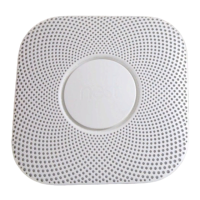
11. Connect power
Plug the 120V connector into the back of
your Nest Protect.


 To Next Page