Breaker box
1
1
2
2
1514
12. Install your Nest Protect
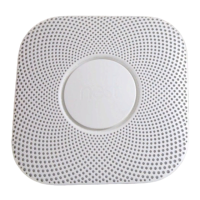
First, tuck any excess wiring into the electrical
box. Line up the three tabs on the back of your
Nest Protect with the notches on the backplate.
Hold Nest Protect against the backplate and
turn it clockwise. Continue turning until it’s
square with the wall or ceiling. Install the rest
of your Nest Protects if you have more.
13. Switch power back on or replace
the fuse
14. Press to test
Press the Nest button on one Nest Protect.
It will tell you what to do next. Every
Nest Protect in the house should speak
up, confirming that they’re connected to
each other.
Tip: If you ever need to remove it (for cleaning or
battery replacement), turn off power to your
Nest Protect at the breaker box or remove the
fuse first. Then turn counterclockwise until it
disconnects from the backplate.


 To Next Page