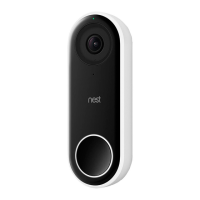
Need help?
Do you have a question about the nest Cam Outdoor and is the answer not in the manual?
Turn on Nest Cam indoors to set up before taking it outside.
Download the Nest app and add your Nest Cam to your account.
Unplug the camera and take it outdoors to the chosen spot.
Check if the camera is streaming video to the Nest app before mounting.
Operate the camera between -20° to 40°C; direct sunlight may affect image quality.
Ensure the chosen location has a strong Wi-Fi signal; test streaming before mounting.
Check for obstructions like plants or lights that might affect view or Night Vision.
Mount the camera 2 to 3 metres high, tilted downwards, for optimal viewing and communication.
Screw the wall plate onto the wall, then attach the magnetic mount.
Place the Nest Cam onto the magnet and fine-tune its position using the Nest app.
Plan the cable route and mount the adaptor wall plate at least 45cm above ground.
Use cable clips to fasten the cable, routing it discreetly and leaving some slack.
Turn on the microphone in camera settings within the Nest app to enable Talk & Listen.
The product is warranted against defects in materials and workmanship for two years from delivery.
Original purchasers can return the product within 30 days of purchase for a full refund at their cost.
Notify Nest Labs of intent to claim and comply with returns instructions.
Excludes sample, 'as is' products, modifications, misuse, power issues, or acts of God.
Nest Labs disclaims all express, implied, and statutory warranties, including merchantability.
Liability is limited to indirect, consequential, incidental, or special damages.
Use of product information and services is at user's own discretion and risk.
Direct any questions about this Limited Warranty to Nest Labs (Europe) Ltd.
Use only in temperatures between -20° to 40°C and keep out of direct sunlight.
Use provided cable/adapter, follow local regulations, and consider residual current devices.
Keep camera away from children and pets; secure cables if mounted over 2m high.
 General
| Type | IP security camera |
|---|---|
| PTZ modes | Auto Scan, Auto pan |
| PTZ control | Yes |
| Languages support | DEU, DUT, ENG, ESP, FRE, ITA |
| Number of languages | 6 |
| Placement supported | Outdoor |
| Light exposure modes | Auto |
| Connectivity technology | Wired & Wireless |
| Form factor | - |
| Mounting type | Wall |
| Product color | White |
| International Protection (IP) code | IP65 |
| Total megapixels | 3 MP |
| Maximum resolution | 1920 x 1080 pixels |
| Supported video modes | 1080p |
| Video formats supported | H.264 |
| Supported graphics resolutions | 1920 x 1080 (HD 1080) |
| Minimum illumination | - lx |
| Optical sensor size | 1/3 \ |
| Digital zoom | 8 x |
| Security algorithms | SSL/TLS |
| Built-in HDD | No |
| LED type | IR |
| Infra-red wavelength | 850 nm |
| Number of illumination LEDs | 8 |
| Frequency band | 2.4 - 5 GHz |
| Wi-Fi standards | 802.11a, 802.11b, 802.11g |
| Supported network protocols | WEP, WPA, WPA2 |
| Interface | WLAN |
| AC input voltage | 100 - 240 V |
| Power source type | AC |
| AC input frequency | 50 - 60 Hz |
| AC adapter output current | 1.4 A |
| Operating temperature (T-T) | -20 - 40 °C |
| Mobile operating systems supported | Android, iOS |
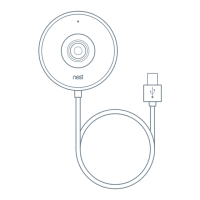
| Cables included | USB |
| Bundled software | Nest App |
| Number of cameras | 1 |
 Weight and Dimensions
| Depth | 89 mm |
|---|---|
| Width | 72 mm |
| Weight | 313 g |
| Cable length | 7.5 m |
| Package type | Box |

 To Next Page