Need help?
Do you have a question about the nest Hello and is the answer not in the manual?
Minimum electrical and network requirements for Nest Hello to function correctly.
Steps to verify if Nest Hello is compatible with an existing doorbell system.
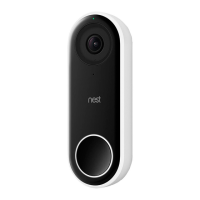
Detailed technical specifications for the Nest Hello device.
Basic steps for installing Nest Hello, with detailed explanations following.
Step-by-step guide for the installation of Nest Hello.
Guidance for handling more complex installation situations.
Solutions for common issues encountered during installation or operation.
Resources for further assistance and support.
 General
| Field of View | 160° diagonal |
|---|---|
| Resolution | 1600 x 1200 |
| Night Vision | Yes |
| Two-Way Audio | Yes |
| Power Source | Wired |
| Weather Resistance | IP54 |
| Wireless | Wi-Fi 802.11a/b/g/n/ac (2.4 GHz/5 GHz) |
| Operating Temperature | -4°F to 104°F (-20°C to 40°C) |
| Compatibility | Nest App |

 To Next Page