EasyManua.ls Logo

nest Detect - Page 11

nest Detect
23 pages
Print Icon
To Next Page IconTo Next Page
To Previous Page IconTo Previous Page
Loading...
Installing
Nest
Detect
on a door
or
window
Nest
Detect
should only be
installed
indoors.
Install
Nest
Detect
on
the
upper
corner
of
a door or
window
with
the
Nest
logo right side up.
Nest
Detect
should be
attached
horizontally
on
vertical
double-hung
windows.
Make sure you choose a
spot
for
Nest
Detect
where
the
magnet
can
also
fit.
They need
to
be
installed
close
together
to
sense when doors
and
windows
open
or
close.
IMPORTANT:
Nest Detect should only
be installed indoors.
Orienting
Nest
Detect
for
motion detection
When
installing
Nest
Detect
on a
door
or
wall,
the
Nest
logo
must
be
upright
to
detect
motion.
Installing
the
open-close magnet
Install
the
magnet on
the
door or window
frame
inside
the
room. You'll
know
it's
in
the
right
spot
when
the
Nest
Detect
light
ring
turns
green.
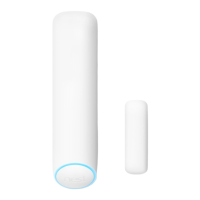
The
magnet
should be aligned
with
the
bottom
of
Nest Detect and placed
within
1.5 inches (3.8 em)
of
Detect
when
the
door
or
window
is closed,
as shown in
the
image
to
the
below.
0
H
1.5
inc
hes
l3.8 em,
max
Installing
Nest
Detect
on a
wall
Choose a
flat
spot
on
the
wall
or
in a
corner
of
a room. For more
information
on
mounting
heights
refer
to
page
8.
Make
sure
Nest
Detect
is
pointed
toward
the
area you
want
to
keep
track
of. For more
information
on
motion
detection
range,
refer
to
page 8.
To
install
Nest
Detect
in a corner,
take
off
the
flat
backplate
and use
the
included
corner
backplate
for
installation.
11

Related product manuals