Need help?
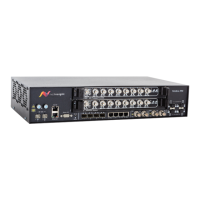
Do you have a question about the Net Insight Nimbra One 600 Series and is the answer not in the manual?
Easiest communication method with units.
Steps for Telnet login.
Steps for web browser login.
Guide to quickly get Nimbra One operational.
Essential configuration steps outlined.
Configuring system name, location, and contact.
Configuring the DTM address of the node.
Configuring DTM dynamic routing.
Procedures for backing up the current configuration.
Steps to restart the system.
Procedures for user management.
Managing configurations and backups.
Saving the active configuration.
Uploading a prepared configuration file.
Activating previous configurations.
Removing stored configurations.
Uploading new software images to the unit.
Presents the alarms within the unit.
Procedure to acknowledge active alarms.
IP addressing and routing in DLE segments.
Configuration of IP routing.
Setup of DLE servers in in-band management.
Configuration of in-band clients.
Configuration of in-band clients.
Managing physical and logical Ethernet addresses.
Parameters for configuring IP routes.
Steps to verify and reconfigure routes.
Procedure for deleting IP routes.
Monitor and configure DTM routing.
 General
| Category | Switch |
|---|---|
| Supported Interfaces | SDI, ASI |
| Input Interfaces | Ethernet, Fiber, SDI, ASI |
| Output Interfaces | Ethernet, Fiber, SDI, ASI |
| Supported Protocols | IP, ASI, SDI |
| Max Resolution | 4K UHD |
| Redundancy | Yes |
| Management | Web GUI, SNMP |
| Power Supply | Redundant power supplies available |
| Operating Temperature | 0°C to 40°C |
| Storage Temperature | -20°C to 70°C |


 To Next Page