Need help?
Do you have a question about the netAlly AirCheck G2 and is the answer not in the manual?
Connect the power supply to the unit's charging port for 3 hours.
Press the power button to start up the AirCheck G2 tester.
Connect the AirCheck G2 to an active internet connection using the Ethernet port.
Create a user account at Link-Live.com to get started with the service.
Follow the instructions in the activation email received from Link-Live.
Sign in to your Link-Live account after activation.
A prompt appears on first sign-in to claim your AirCheck G2 device.
Select your AirCheck G2 and follow on-screen instructions to finish claiming.
Open Support from the left side menu for more information on using Link-Live.
From your Link-Live account, navigate to Support and select Downloads.
Download and install the AirCheck G2 Manager application on your PC.
Use AirCheck G2 Manager to transfer test results to your PC for management.
Refer to the AirCheck G2 Manager Help for additional instructions.
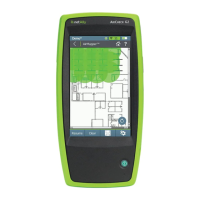
The NetAlly AirCheck™ G2 Wireless Tester is a comprehensive, handheld tool designed for network professionals to test and troubleshoot the latest wireless networks. It supports 802.11b/g/n networks in the 2.4-GHz band and 802.11a/n/ac networks in the 5-GHz band.
The AirCheck G2 provides a wide range of testing capabilities to ensure optimal Wi-Fi performance and connectivity. Its core functions include:
The device features several physical ports and components for connectivity and interaction:
The AirCheck G2 is designed for ease of use and integrates with cloud services for enhanced functionality:
 General
| Brand | netAlly |
|---|---|
| Model | AirCheck G2 |
| Category | Test Equipment |
| Language | English |

 To Next Page