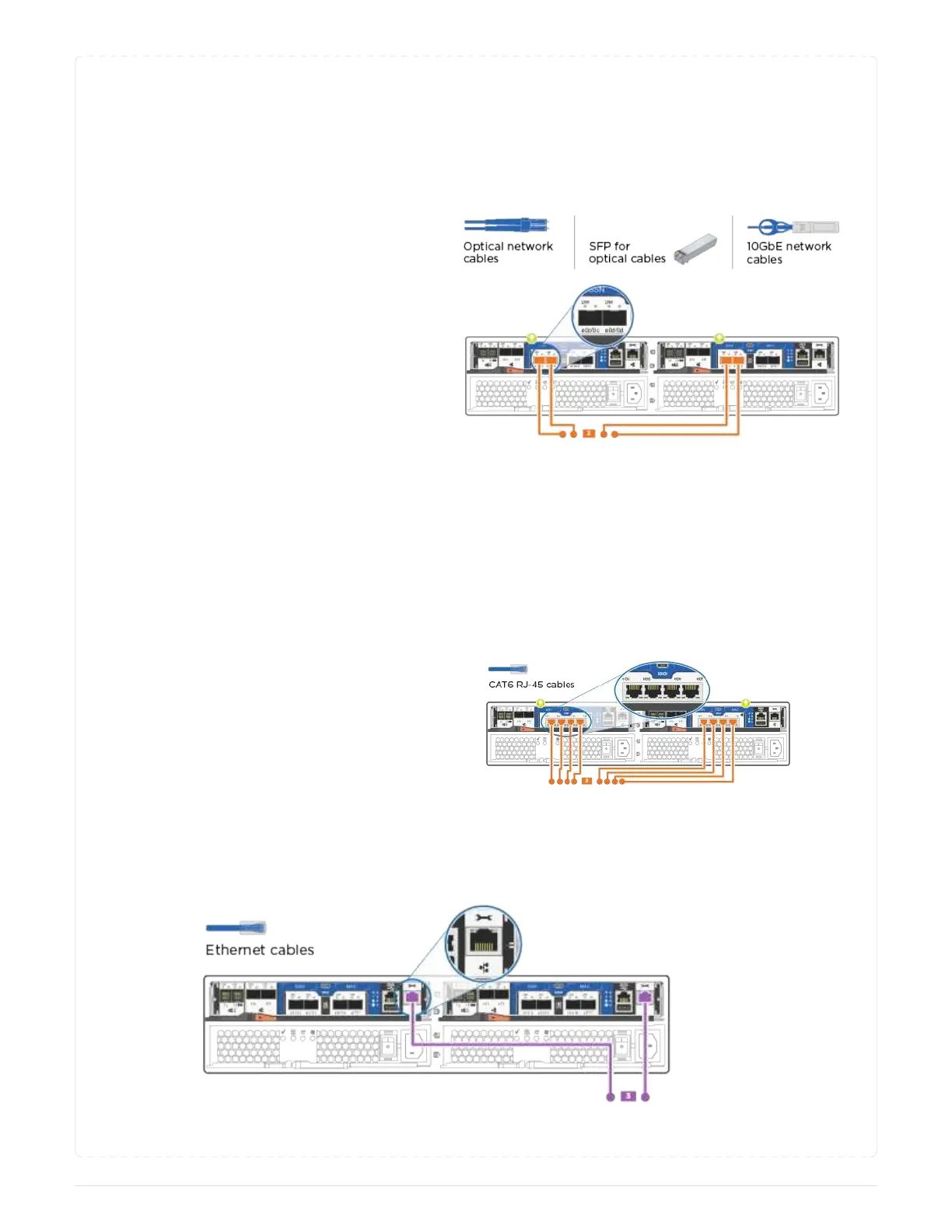
UTA2 data network configurations Use one of the following cable types to cable the UTA2
data ports to your host network.
◦ For an FC host, use 0c and 0d or 0e and 0f.
◦ For an 10GbE system, use e0c and e0d or e0e and
e0f.
You can connect one port pair as CNA and one port
pair as FC, or you can connect both port pairs as
CNA or both port pairs as FC.
Ethernet network configurations Use the Cat 6 RJ45 cable to cable the e0c through e0f
ports to your host network.
in the following illustration.
3. Cable the e0M ports to the management network switches with the RJ45 cables.
6



 To Next Page