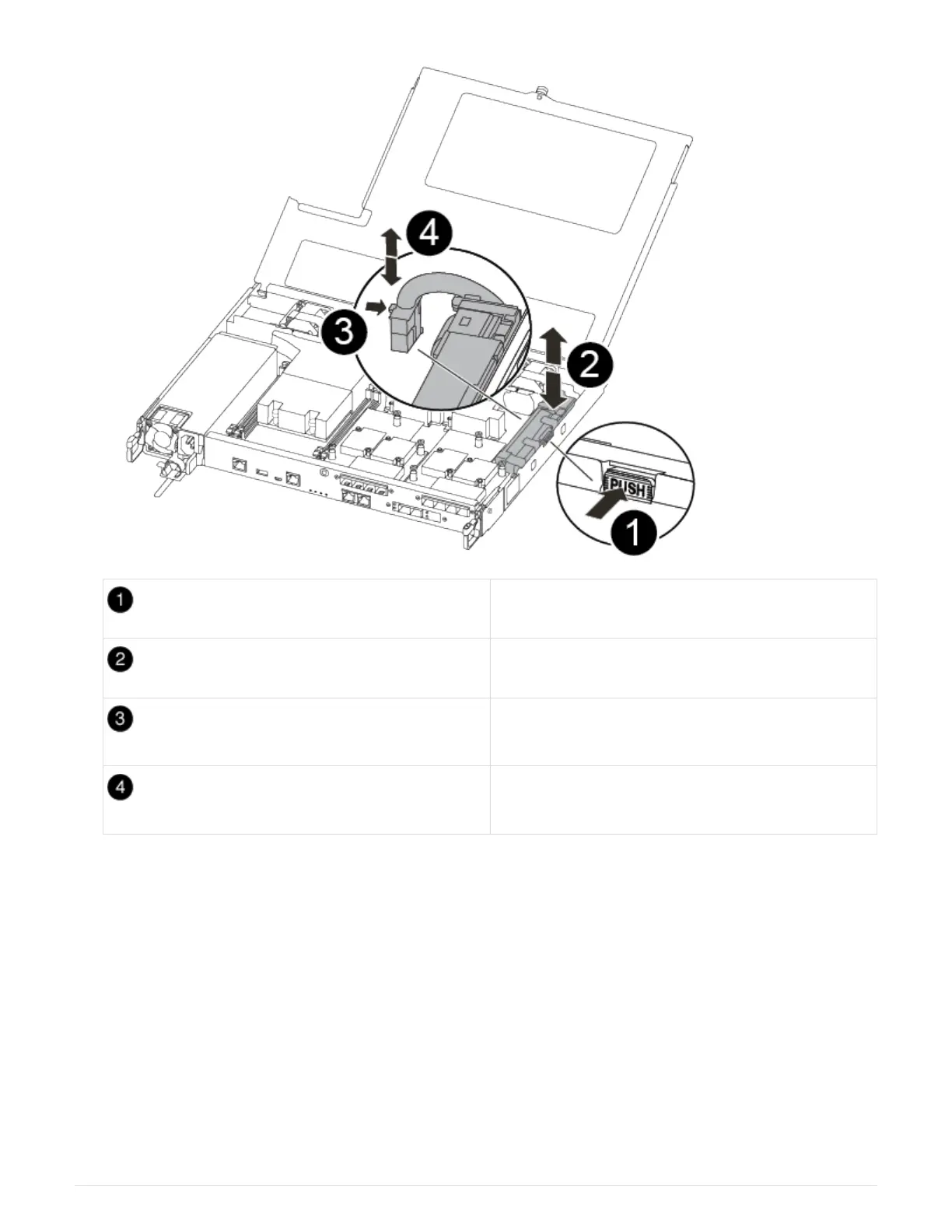
Squeeze the clip on the face of the battery plug.
Unplug the battery cable from the socket.
Grasp the battery and press the blue locking tab
marked PUSH.
Lift the battery out of the holder and controller
module.
2. Locate the battery plug and squeeze the clip on the face of the battery plug to release the plug from the
socket.
3. Grasp the battery and press the blue locking tab marked PUSH, and then lift the battery out of the holder
and controller module and set it aside.
4. Remove the replacement NV battery from the antistatic shipping bag and align it to the battery holder.
5. Insert the replacement NV battery plug into the socket.
6. Slide the battery pack down along the sheet metal side wall until the support tabs on the side wall hook into
the slots on the battery pack, and the battery pack latch engages and clicks into the opening on the side
wall.
7. Press firmly down on the battery pack to make sure that it is locked into place.
308



 To Next Page