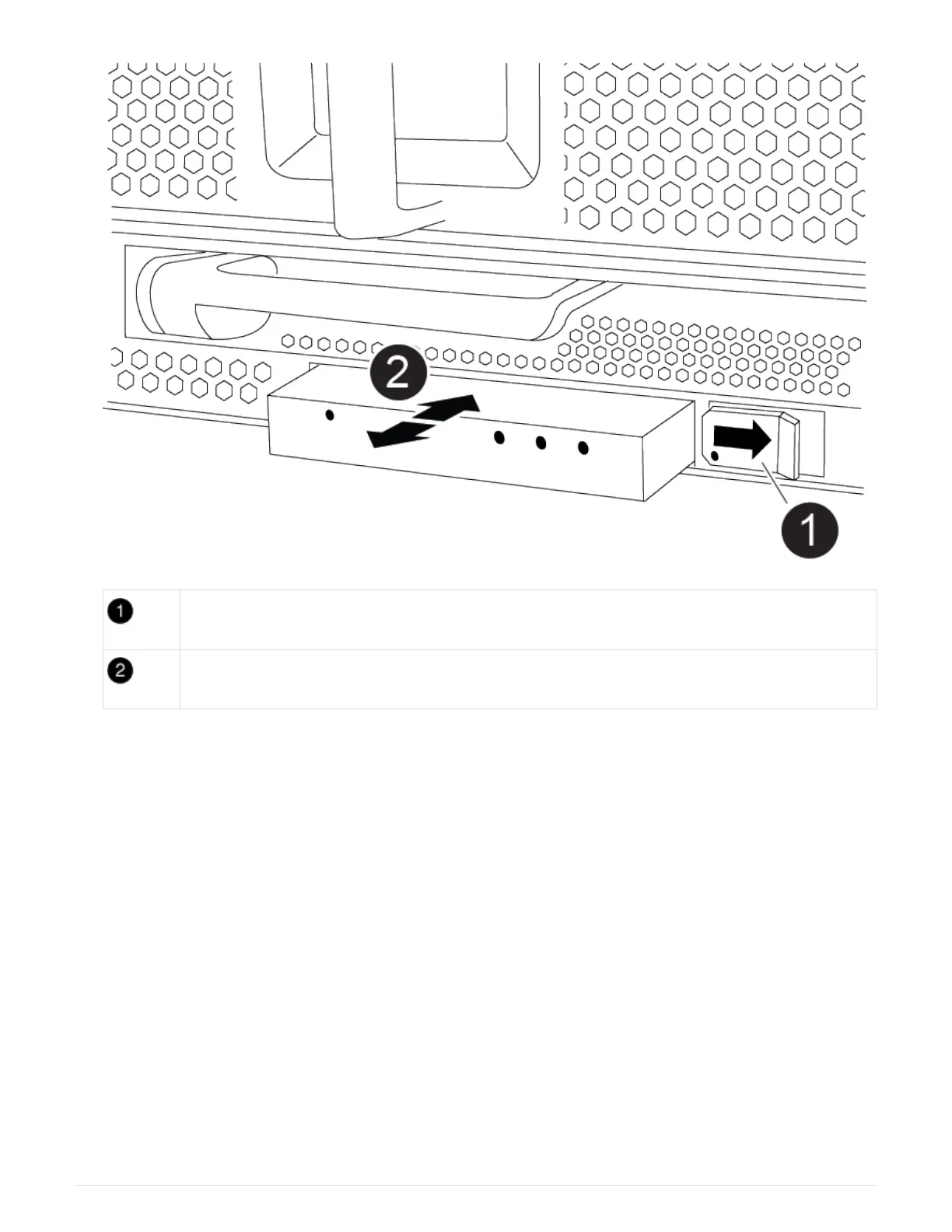
Locking button
USB LED module
a. With the bezel removed, locate the LED USB module at the front of the chassis, on the bottom left side.
b. Slide the latch to partially eject the module.
c. Pull the module out of the bay to disconnect it from the midplane. Do not leave the slot empty.
2. Install the new LED USB module:
a. Align the module to the bay with the notch in the corner of the module positioned near the slider latch
on the chassis. The bay will prevent you from installing the module upside down.
b. Push the module into the bay until it is fully seated flush with the chassis.
There is an audible click when the module is secure and connected to the midplane.
Step 2: Return the failed component
1. Return the failed part to NetApp, as described in the RMA instructions shipped with the kit. See the
Part
Return & Replacements
page for further information.
Replace the NVRAM module and/or NVRAM DIMMs - AFF A900
The NVRAM module consists of the NVRAM11 and DIMMs. You can replace a failed
782



 To Next Page