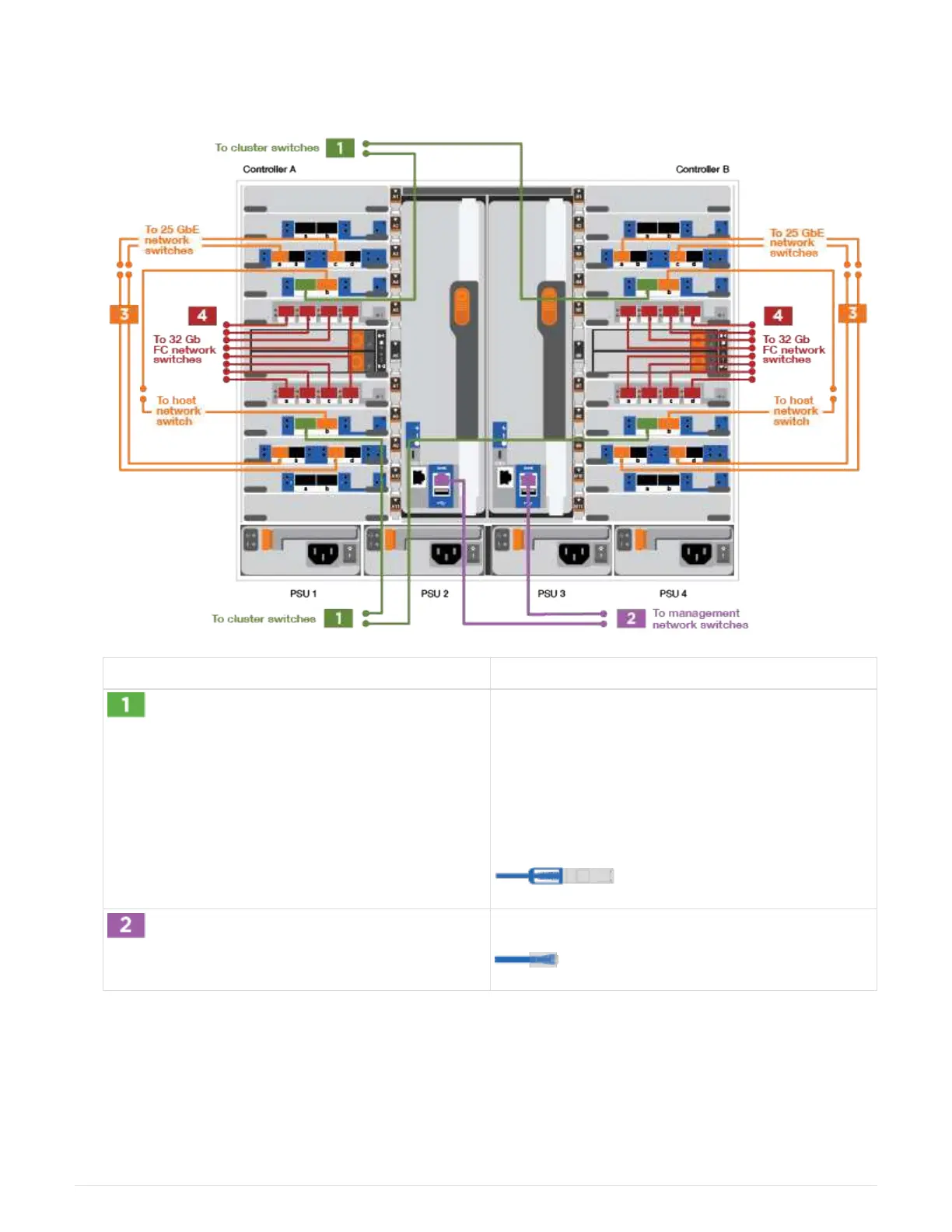
1. Use the animation or illustration to complete the cabling between the controllers and to the switches:
Animation—Cabling a switched cluster
Step Perform on each controller
Cable cluster
interconnect a ports:
• Slot A4 and B4 (e4a) to the cluster network
switch.
•
Slot A8 and B8 (e8a) to the
cluster network switch.
Cable controller management (wrench) ports.
1044



 To Next Page