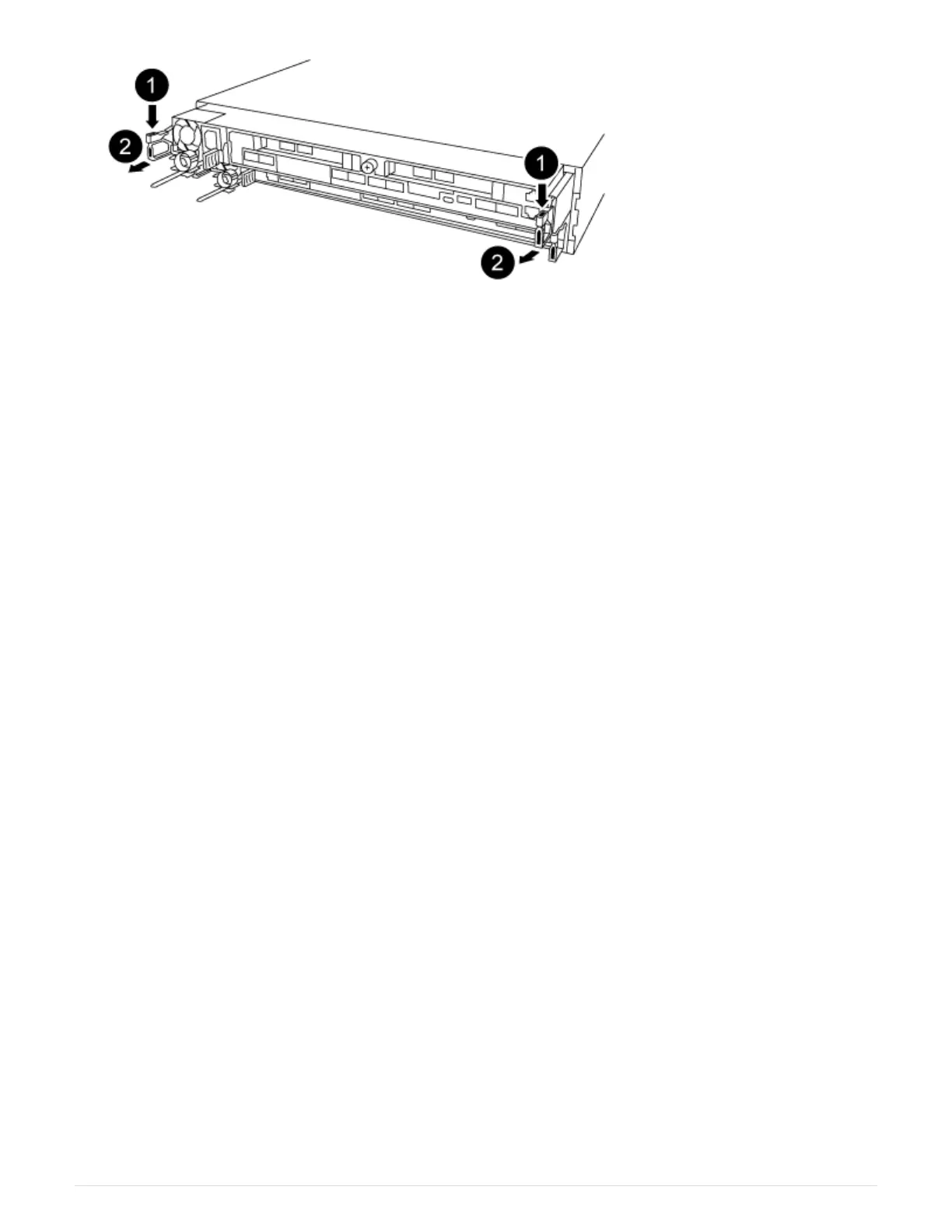
a. Insert your forefinger into the latching mechanism on either side of the controller module.
b. Press down on the orange tab on top of the latching mechanism until it clears the latching pin on the
chassis.
The latching mechanism hook should be nearly vertical and should be clear of the chassis pin.
c. Gently pull the controller module a few inches toward you so that you can grasp the controller module
sides.
d. Using both hands, gently pull the controller module out of the chassis and set it on a flat, stable
surface.
Step 2: Replace the boot media
You must locate the boot media in the controller module, and then follow the directions to
replace it.
1. Open the air duct and locate the boot media using the following illustration or the FRU map on the
controller module:
2. Locate and remove the boot media from the controller module:
509



 To Next Page