system node autosupport invoke -node * -type all -message
MAINT=number_of_hours_downh
The following AutoSupport message suppresses automatic case creation for two hours: cluster1:*>
system node autosupport invoke -node * -type all -message MAINT=2h
2.
Disable automatic giveback from the console of the healthy controller:
storage failover modify
–node local -auto-giveback false
3. Take the impaired controller to the LOADER prompt:
If the impaired controller is
displaying…
Then…
The LOADER prompt Go to Remove controller module.
Waiting for giveback…
Press Ctrl-C, and then respond y when prompted.
System prompt or password
prompt (enter system password)
Take over or halt the impaired controller from the healthy controller:
storage failover takeover -ofnode
impaired_node_name
When the impaired controller shows Waiting for giveback…, press
Ctrl-C, and then respond
y.
Step 2: Remove the controller module
To access components inside the controller module, you must remove the controller
module from the chassis.
1. If you are not already grounded, properly ground yourself.
2. Unplug the controller module power supply from the power source.
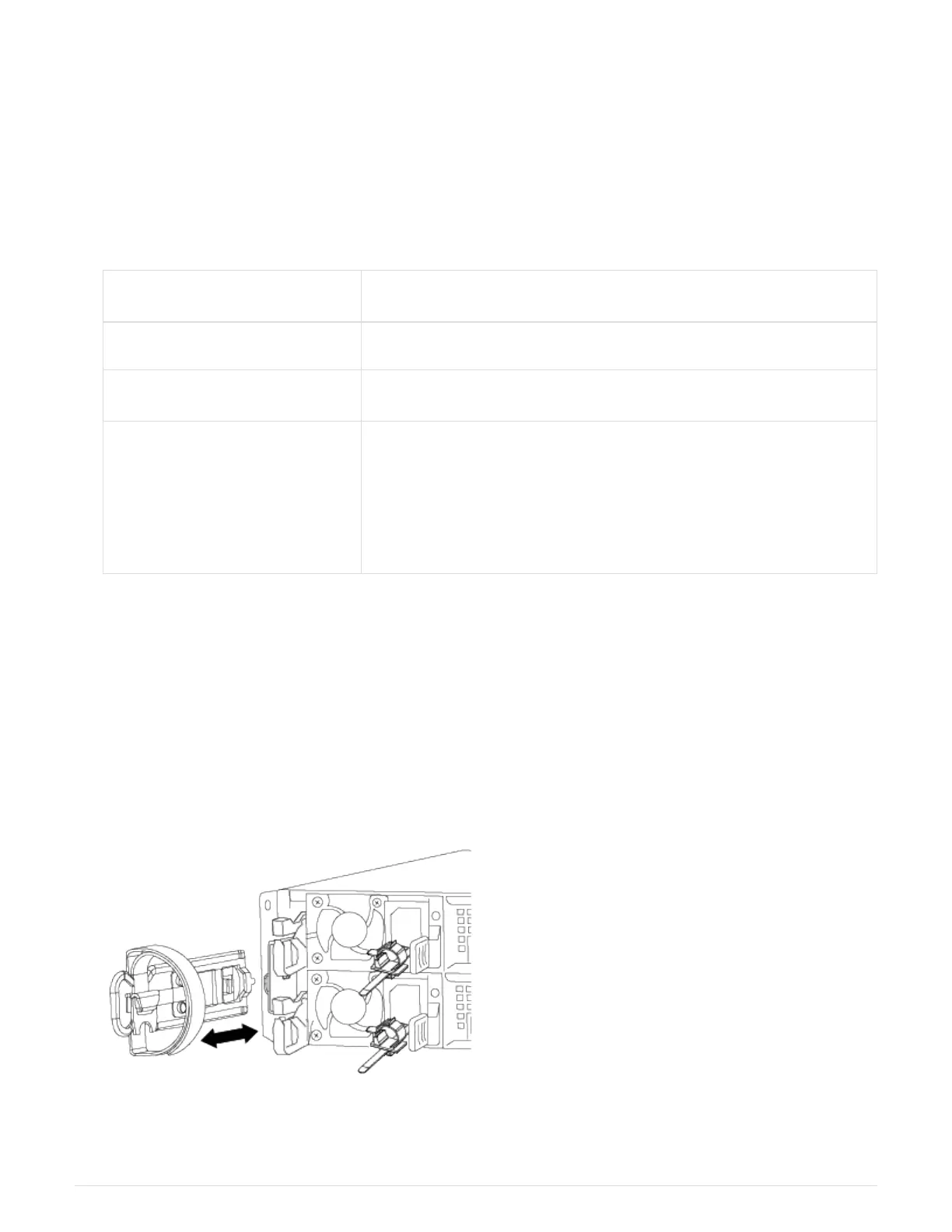
3. Loosen the hook and loop strap binding the cables to the cable management device, and then unplug the
system cables and SFPs (if needed) from the controller module, keeping track of where the cables were
connected.
Leave the cables in the cable management device so that when you reinstall the cable management
device, the cables are organized.
562



 To Next Page