Step 2: Replace the RTC battery
You need to locate the RTC battery inside the controller module, and then follow the
specific sequence of steps.
Step 3: Remove the controller module
To access components inside the controller module, you must remove the controller
module from the chassis.
1. If you are not already grounded, properly ground yourself.
2. Unplug the controller module power supply from the power source.
3. Loosen the hook and loop strap binding the cables to the cable management device, and then unplug the
system cables and SFPs (if needed) from the controller module, keeping track of where the cables were
connected.
Leave the cables in the cable management device so that when you reinstall the cable management
device, the cables are organized.
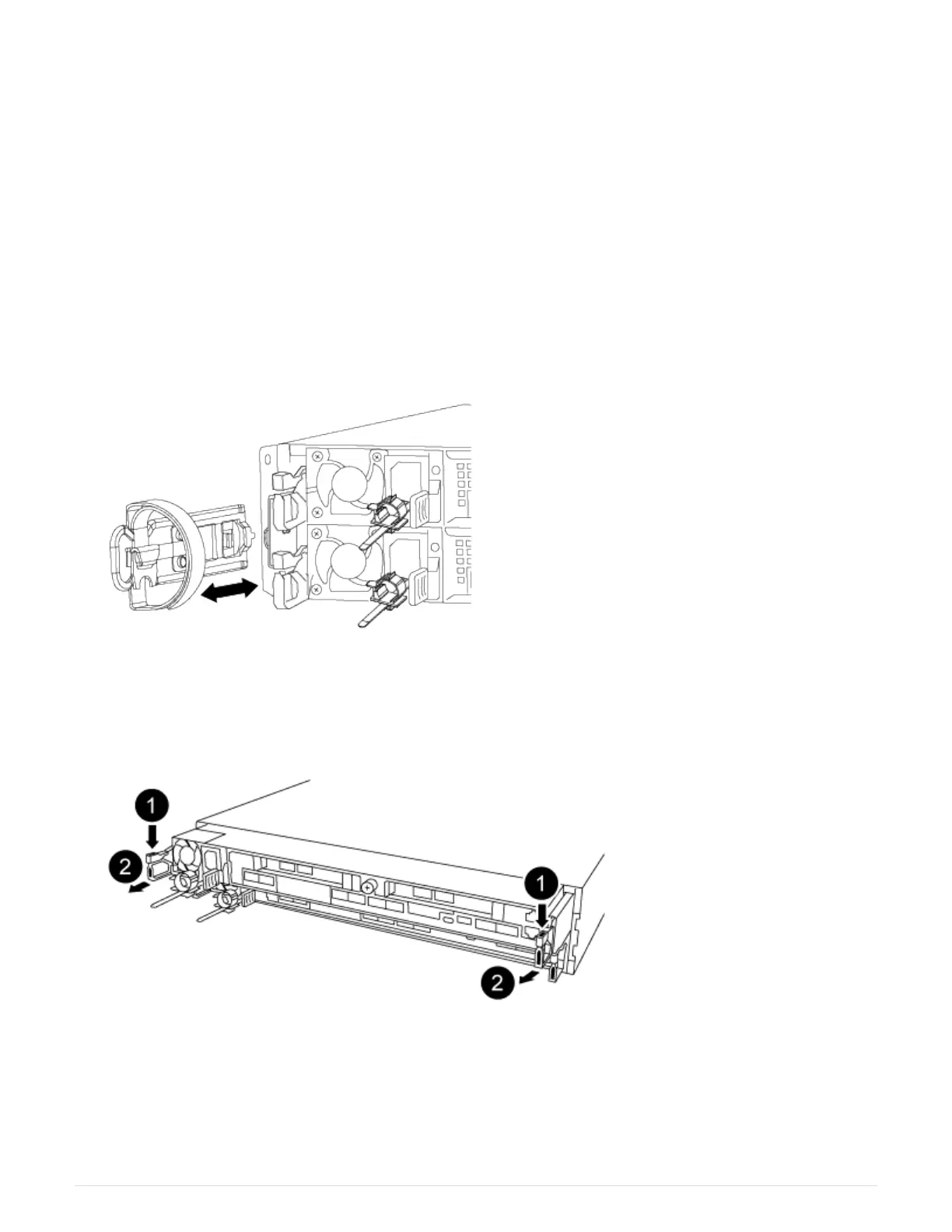
4. Remove and set aside the cable management devices from the left and right sides of the controller module.
5. Remove the controller module from the chassis:
a. Insert your forefinger into the latching mechanism on either side of the controller module.
b. Press down on the orange tab on top of the latching mechanism until it clears the latching pin on the
chassis.
The latching mechanism hook should be nearly vertical and should be clear of the chassis pin.
570



 To Next Page